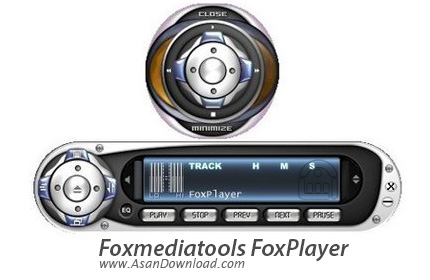
The program lacks in size and compensates in performance having an integrated ID3 editor which simplifies renaming and modifying files and using Xaudio MPEG engine to power its impressive number of options.
FoxPlayer is bound to make you love it at first sight: even before checking out any of its features. It has a chic small main window which in spite of the many buttons it has, keeps a nice, “ventilated” look.
Its vivid but not striking appearance is an inspired combination of ambient-suited colours and let’s not forget about the skins available.
Since the (very discreet) equalizer is fused to the FoxPlayer's main window you have quick access to the frequency settings whenever you like.
You can maximize the playlist according to your needs and the amount of information available will satisfy even the most exigent music fan – the info columns let you arrange content using criteria like title, artist, album, year, track number, genre or length.
You can directly manage all the info for the tracks due to the integrated ID3 tag-editor: by right-clicking on the required field you can type in your info and then click everywhere else to save data.
The main window allows you to switch the time counter-modes (elapsed time and remaining time) with a simple click. You also have the playlist-track number displayed clearly together with the scrolling titles. Above the repeat-type mode indicator there’s the bit rate and sample rate location and all the functions just fall into the right place.