




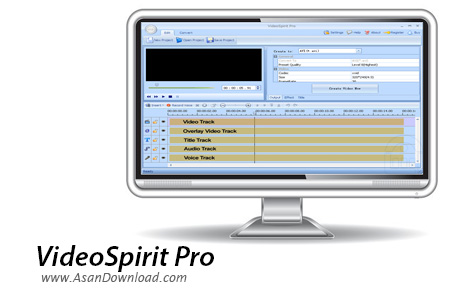
گاهی جداسازی و یا قسمت قسمت کردن یک فیلم بلند یا حتی جدا کردن یک بخش جذاب از یک ویدئو ارزش زیادی برای کاربران دارد اما برای همه کاربران به دلایل مختلف امکانپذیر نیست که از نرم افزارهای قدرتمند ویرایش فیلم استفاده شود ؛ حال می توان نرم افزاری را انتخاب کرد که با چند کلیک کوچک به راحتی بتوان یک کلیپ بلند را به چندین قسمت کوتاه تقسیم کرد. VideoSpirit Pro نام نرم افزاری مفید است که در این زمینه می تواند بسیار راه گشا باشد. این ابزار که تنها برای بخش بخش کردن یک ویدئو بلند طراحی شده است این امکان را فراهم نموده تا همه کاربران بتوانند به سادگی به خواسته های خود دست پیدا کنند.
این ابزار کوچک تعداد افکت جالب هم در خود جای داده تا در صورت لزوم کاربران بتوانند از آن ها استفاده نمایند ؛ پشتیبانی از فرمت های مختلف هم بخشی دیگر از قابلیت های این ابزار به شمار می رود. چسباندن همه تکه فیلم ها به یکدیگر هم گاهی می تواند بسیار جذاب باشد که این کار هم از عهده VideoSpirit Pro به راحتی برخواهد آمد. استخراج صدا از فیلم ها نکته جالبی است که هواداران زیادی میان کاربران دارد چراکه گاهی لازم است موزیک ها را از ویدئو موزیک ها برای اجرا در پلیرهای صوتی استخراج شود. نکته پایانی هم واسط کاربری جذابی است که هر کاربری را برای رسیدن سریع به خواسته هایش یاری می دهد.
قابلیت های کلیدی نرم افزار VideoSpirit Pro:
- واسط کاربری جذاب
- سازگار با انواع فرمت های مختلف
- امکان بریدن یا چسباندن تکه فیلم ها به یکدیگر
- قابلیت همسان سازی زیرنویس ها
- قابلیت استفاده از افکت های مختلف و موجود در نرم افزار
- امکان ویرایش ساده فیلم ها
- قابلیت استخراج صداها از ویدئوها
- سازگار با نسخه های مختلف ویندوز از جمله ویندوز محبوب 7
- و ...


Editing and creating custom videos is usually a job that should be left for professionals, but there are some users (and not a few, actually) who prefer to try their hand at this activity. If you choose to do so, be advised that both hardware and software requirements are not to be treated lightly, mainly because only a powerful machine with the right software can turn you into a successful movie creator and editor.
A powerful utility that can handle video editing, conversion and generation is VideoSpirit Pro, but, like many other good things, it doesn\'t come for free. To get rid of the watermark it will stamp on the output you have to buy a license. Nevertheless, the overall functionality is by no means restricted, so you\'ll be able to use it in full effect.
Armed with this tool, you can tackle intricate tasks like combining video, audio, pictures and subtitles, recording and adding voice to the movies, as well as converting entire DVDs and separate clips to a variety of formats. VideoSpirit Pro will also enable you to split or join files, extract images and add eye-catching effects, all from a neat, user-friendly interface.
Adding items to the video clip workspace is a breeze and you can easily move around the time-line videos, soundtracks and pictures to make them appear at just the right time. A great thing about this application is the extended support for many formats and also the extensive amount of customizations you can make to obtain the best output.
For both converting and video creating jobs VideoSpirit Pro will take an important bite out of your RAM and CPU, so it’s best to run it on a powerful system to have the videos generated in the shortest time possible. The program will handle almost anything you can throw at it since it supports all the most common formats, like AVI, MP4, JPG, BMP or MP3, and the quality of the results will certainly not disappoint you.
All things considered, VideoSpirit Pro is pretty balanced in terms of features, performance and quality. It will surely get the job done fast and very well, but you should first try it to see if it\'s what you need and then decide if it\'s really worth spending your money on it.



