




مدتهاست به فکر فروش دوره آموزشی خودتی، اما درگیر ساخت سایت، درگاه پرداخت، حفاظت از ویدیوها و پیدا کردن راهی برای فروش هستی؟
لازم نیست برای هرکدوم سراغ یک ابزار جدا بری یا درگیر مسائل فنی بشی.
با دورهساز میتونی سایت آموزشی خودت رو راهاندازی کنی، دورههات رو با خیال راحت بفروشی و دانشجوهات رو مدیریت کنی؛ همه در یک پلتفرم.
تو روی آموزش و رشد کسبوکارت تمرکز کن؛ دورهساز ابزارهای لازم رو در اختیارت
میذاره.
آمادهای تخصصت رو به یک کسبوکار آموزشی تبدیل کنی؟
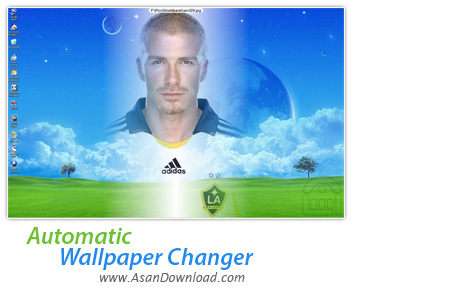
یکی از مواردی که در ویندوز همیشه خسته کننده بوده است محیط دسکتاپ یا میز کار است که همیشه یکنواخت است و پس از مدتی باعث خستگی کاربر خواهد شد اما می توان با ترفند های ساده ای کمی این حالت ایستا و ساده دسکتاپ را به محیطی پویاتر تغییر داد ؛ با نرم افزاری به نام Automatic Wallpaper Changer نام دارد و با استفاده از مدتی زمانی که کاربر برای آن تعیین می کند پس زمینه های میزکار را تغییر می دهد. این نرم افزار مفید که حجم مناسبی هم دارد به راحتی قابل استفاده و برروی تمامی نسخه های ویندوز هم قابل نصب و اجرا است.
مدت زمان چرخش تصاویر برای ماندن در دسکتاپ به عنوان پس زمینه در اختیار کاربر بوده و می تواند بین چند ثانیه تا چند ساعت در چرخش باشد. امکانات نرم افزار بسیار جالب تر این هاست چرا که پس از سپری شدن زمان تصاویر ، تصویر بعدی به صورت کاملا متحرک و همراه با افکتی زیبا جایگزین تصویر قبلی خواهد شد ؛ دقیقا شبیه به اسلایدشو های که کاربران با نرم افزارهای مختلف پدید می آورند. امکانات مختلف و زیادی برای نرم افزار Automatic Wallpaper Changer در نظر گرفته شده است که تنها کاربرانی می توانند آن را تجربه کنند که نسخه کامل این ابزار را دانلود کرده و پس از نصب به آن ویژگی ها دست پیدا کنند.
قابلیت های کلیدی نرم افزار Automatic Wallpaper Changer:
- استفاده بسیار آسان از نرم افزار
- تغییر تصاویر پس زمینه به صورت کاملا خودکار
- امکان مدیریت زمان تعویض عکس ها
- تغییر تصاویر به همراه افکت های زیبا و جذاب
- سازگار با فرمت های مختلف برای تصاویر
- سازگار با کیفیت ها و اندازه های مختلف برای تصاویر
- امکان انتخاب تعداد نامحدود تصویر برای جابه جایی در پس زمینه
- قابلیت قرار فریم برای تصاویر
- امکان قرار دادن تصویر بعدی در یکی از قسمت های پس زمینه
- قابلیت استفاده در سیستم چند مانیتوره
- سازگار با نسخه های مختلف ویندوز از جمله ویندوز محبوب 7
- و ...


If you get tired of viewing the same wallpaper day in and day out and do not want to change your wallpaper manually every time you get bored of it, you may find a solution in a wallpaper changer that can do that for you.
The list of available tools that can be used to change your desktop wallpaper is certainly a large one. Also, they tend to come in two flavors, some of them are paid and some are free of any charge.
Automatic Wallpaper Changer is a simple tool that features an uncomplicated installation process. After you\'ve accessed the user-friendly interface you can start enriching your desktop experience.
The first thing you\'ll notice is the simplicity in use, as all the most important features are displayed at a mouse click away. You\'ll be able to add the image folders one at a time, select the position where you want the wallpapers placed and, of course, the amount of time you want to keep an image displayed on your monitor.
Happily, other basic functions are present under the form of buttons. First of all, you will be able to restart the timer or continue from the last pause. It is also possible to change the background manually, clear the desktop or access the Preferences window.
If the features above resemble the default wallpaper changing options found in your system, then you\'ll be happy to know that the application\'s true potential lays in the software\'s Preferences window.
Various image stretching options (best fit, worst fit or full screen) can be accessed from the resizing tab. The transparency level can be adjusted from the tab with the same name. Effects such as brightness, contrast, inversion, or embossing can be applied from the Image Effects window. Note that picture frames can also be applied.
Furthermore, the program is able to support a large number of image formats. The same Preferences window gives you the chance to select the type of files you want to use.
These are just a few of the options included in Automatic Wallpaper Changer, it\'s up to you to discover the rest.


