




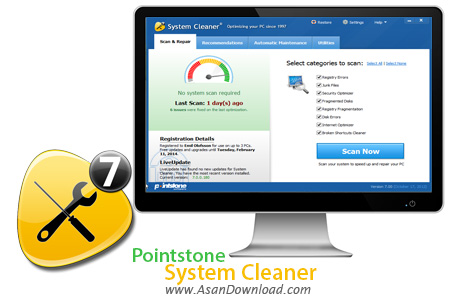
Pointstone System Cleaner نرم افزاری برای پاکیزگی کاتالوگها و اینترنت فایلهای ذخیره در هارد و از بین بردن برنامه های مخرب و داده های غیر ضروری است. از توانایی های منحصر فرد این نرم افزار بازگرداندن کارایی دیسک سخت خود، محافظت حریم شخصی کاربران با تمیز کردن تاریخچه اینترنت، حافظه نهان، فایلهای موقتی، فایل های دما، فهرست اسناد اخیر ، فایل CHK، سطل بازیافت، زباله های اضافی و بسیاری دیگر می باشد. از کارایی های دیگر این نرم افزار می توان به اسکن چندگانه درایوها و سیستم تصحیح خطا اشاره کرد. این نرم افزار به صورت رایگان و نا محدود با ویژگی های بسیار از سایت آسان دانلود برای شما قرار داده شده است که به کمکش می توانید تمام ردها از کامپیوتر در زمان اتصال به اینترنت و فعالیت Washm را حذف نمایید.
قابلیت های کلیدی نرم افزار Pointstone System Cleaner :
- قابلیت از بین بردن برنامه های مخرب و داده های غیر ضروری از هارد
- امکان شناسایی فایلهای مرده و کوکی به صورت اتومات با یک کلیک
- افزایش سرعت سیستم
- کمتر اشغال شدن فضای هار
- قابلیت اسکن درایوها و سیستم تصحیح خطا
- توانایی تنظیم و نظافت فایلهای زیپ
- قابلیت محافظت حریم شخصی کاربران با تمیز کردن تاریخچه اینترنت
- توانایی پاکسازی با موتور بهبود یافته
- سازگار با نسخه های مختلف سیستم عامل محبوب مایکروسافت ویندوز
- و ...


System Cleaner is a software that can clean your computer, in order to improve its performance.
The interface of the program is simple and intuitive. So, this application can be used by both rookies and experts.
The tool allows you to clean up and repair your system by scanning the disk and removing junk data in order to recover disk space, as well as by fixing any problems found in the Windows registry.
Furthermore, you can defragment the registry entries and locate files that pop up errors, eliminate clutter and maintain the privacy of your information, as well as use a file shredder to permanently delete data which cannot be recovered after disk formatting.
In "System Control" you can disable programs that automatically run at Windows startup, uninstall programs from your computer and manage Internet Explorer extensions.
Finally, "Analyze and Compare" allows you to use the "Disk Space Explorer" to help you figure out how to free disk space. You are also able to track any changes made to your computer by other programs, as well as control the applications which open the current file associations and restore previous snapshots.
System Cleaner uses a moderate amount of system resources and contains a comprehensive help file. Scanning the computer can take from several seconds to several minutes and you are in full control of the content you want to delete.
All in all, System Cleaner is a great tool for performing a little maintenance on your computer, but, still, it needs to fix some functionality related problems.



