




مدتهاست به فکر فروش دوره آموزشی خودتی، اما درگیر ساخت سایت، درگاه پرداخت، حفاظت از ویدیوها و پیدا کردن راهی برای فروش هستی؟
لازم نیست برای هرکدوم سراغ یک ابزار جدا بری یا درگیر مسائل فنی بشی.
با دورهساز میتونی سایت آموزشی خودت رو راهاندازی کنی، دورههات رو با خیال راحت بفروشی و دانشجوهات رو مدیریت کنی؛ همه در یک پلتفرم.
تو روی آموزش و رشد کسبوکارت تمرکز کن؛ دورهساز ابزارهای لازم رو در اختیارت
میذاره.
آمادهای تخصصت رو به یک کسبوکار آموزشی تبدیل کنی؟
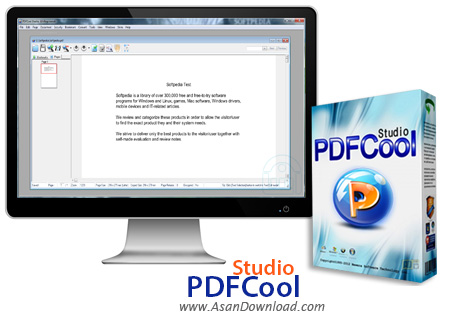
PDFCool Studio نرم افزاری کاربردی در زمینه مدیریت اسناد PDF می باشد. برنامه است آسان در عین حال بسیار قدرتمند که می تواند اسناد پی دی اف را هم مدیریت و هم کنترل نماید و در سختن فایل هاس PDF ، ویرایش و مقایسه ، ترکیب جند فایل یا جدا کردن صفحاتی از فایل PDF و ذخیره آن و تبدیل این گونه فایل ها به شما کمک کند.
همچنین این نرم افزار می تواند فایل های PDF را پردازش دسته ای کند و قابلیت های متعددی در زمینه ویرایش اسناد PDF دارد که با توجه به حجم بسیار مناسبش می توان از آن به عنوان یک ویرایشگر برای اسناد PDF هم بهره برد. استفاده از این ابزار به واسطه داشتن محیط کاربری فوق العاده ساده و آسان است.
قابلیت های کلیدی نرم افزار PDFCool Studio:
- قابلیت اضافه کردن صفحه خالی و یا جایگزینی صفحات
- امکان ضمیمه کردن فایل به اسناد
- قابلیت مدیریت عکس ها و گذاشتن عکس در فایل
- توانایی ویرایش و اضافه کردن متن
- قابلیت برش ، چرخش ،تغییر سایز و یکی کردن صفحات
- توانایی ساختن فایل اجرایی از فایل PDF
- قابلیت Copy , past مستقیم در اسناد PDF
- توانایی خروجی صفحات به صورت عکس
- امکان جداسازی صفحات به صورت فایل PDF
- قابلیت حذف صفحات و اضافه کردن صفحه از فایل های دیگر
- قابلیت جداسازی متن و تصویر
- سازگار با تمامی نسخه های ویندوز از جمله ویندوز محبوب 7 و 8
- و ...


PDFCool Studio is a useful and professional application designed to create, edit, sign, encrypt and convert PDF documents. PDFCool Studio supports kinds of PDF page and document manipulation functions in batch.
PDFCool Studio runs in multi-documents mode, and provides 31 kinds of skins. You can import or create new digital ID to sign PDF documents and customize the signature field, and finally to generate a desired visible signature. It allows you to encrypt/decrypt multiple PDF documents and set permissions . PDFCool Studio runs in multi-documents mode, and provides as many as 31 kinds of skins.
PDFCool Studio has many unique features and creativity hardly found in similar software products. It firstly comes up with concepts of Page Selector, Batch Processor and My FileBox, which allow you to conveniently handle PDF documents based on page, as well as multiple PDF documents.
It allows you to easily create self-running Slide-Show package (exe file), and make PDF readable on any computer without PDF reader software installed. With PDFCool Studio, you can compress, replace and apply image filter to batch images in PDF documents. What's more, PDFCool Studio has more than 30 kinds of unique features.
For example, you can add multiple watermarks at one time and adjust the thickness. When export text from PDF documents, it allows the user to pick a replace font from the System Fonts to make the generated DOC to have a similar style with the original PDF document.


