




مدتهاست به فکر فروش دوره آموزشی خودتی، اما درگیر ساخت سایت، درگاه پرداخت، حفاظت از ویدیوها و پیدا کردن راهی برای فروش هستی؟
لازم نیست برای هرکدوم سراغ یک ابزار جدا بری یا درگیر مسائل فنی بشی.
با دورهساز میتونی سایت آموزشی خودت رو راهاندازی کنی، دورههات رو با خیال راحت بفروشی و دانشجوهات رو مدیریت کنی؛ همه در یک پلتفرم.
تو روی آموزش و رشد کسبوکارت تمرکز کن؛ دورهساز ابزارهای لازم رو در اختیارت
میذاره.
آمادهای تخصصت رو به یک کسبوکار آموزشی تبدیل کنی؟
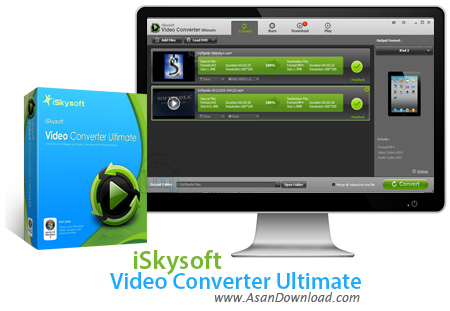
iSkysoft Video Converter Ultimate یکی از کارآمدترین نرم افزارهایی که در زمینه تبدیل فرمت های ویدئویی ارائه شده است. ابزاری بسیار حرفه ای که در کنار پشتیبانی از فرمت های مختلف ویدئویی با سرعت بسیار مناسب امکاناتی نظیر رایت برروی انواع لوح های فشرده و همچنین ویرایش ساده فیلم ها را هم فراهم کرده است. حجم قابلیت هایی که در این نرم افزار به چشم می خورد بسیار بیشتر از آن چیزی است که در ظاهر به چشم می خورد؛ ظاهر نرم افزار هم جذاب طراحی شده است. کیفیت بسیار بالا در هنگام تبدیل فرمت ها، امکان تبدیل فیلم های دو بعدی به سه بعدی، نمایش فیلم ها با داشتن ویدئو پلیرداخلی نرم افزار و ده ها قابلیت دیگر از جمله مواردی هستند که به عنوان قابلیت های کلیدی در مورد iSkysoft Video Converter Ultimate می توان به آن ها اشاره نمود.
قابلیت های کلیدی نرم افزار iSkysoft Video Converter Ultimate:
- سرعت بسیار مناسب در تبدیل فرمت های ویدئویی
- پشتیبانی از انواع فرمت های صوتی و تصویری
- امکان تهیه عکس از صفحه نمایش
- دارا بودن ویدئو پلیرداخلی در نرم افزار
- امکان تبدیل فیلم ها دو بعدی به سه بعدی
- تبدیل مستقیم به دی وی دی با قابلیت رایت
- امکان بهم چسباندن چند ویدئو کلیپ به یکدیگر
- توانایی ویرایش ساده فیلم ها
- سازگار با نسخه های مختلف ویندوز از جمله ویندوز محبوب 7 و 8
- و ...


iSkysoft Video Converter Ultimate is a simple-to-use program that allows you to turn audio and video files into ASF, MOV, WMV, MKV, AVI and MPG, among other types. But the tool can also extract the audio stream and store it as MP3, WAV, WMA and others, as well as prepare items for devices (including iPod, iPhone, BlackBerry and Creative Zen).
The app is packed in a clean and intuitive interface. Importing files can be done by using either the file browser, tree view or "drag and drop" method. Processing multiple items at the same time is possible.
The file queue lets you check out the thumbnail, initial name and format, along with the subtitle, size, duration and resolution of each video. If you are satisfied with the default settings, then you can immediately start the conversion operation by establishing the output directory and file type.
Skilled users can tinker with the audio and video settings when it comes to the encoder, resolution, frame rate, bit rate, sample rate and channel mode. Plus, you can restore options to their default values, edit profiles and create a profile favorite list.
In addition, you can preview clips in a built-in media player and capture frames (as BMP or JPEG), duplicate items, as well as merge videos and trim them by marking the start and end position. But you can also make image adjustments (e.g. brightness, contrast, saturation), apply effects, add watermarks (image or text) and enable a plugin subtitle.
In the "Preferences" area you can change the temporary directory and interface language, select the number of CPU cores to be used, as well as set the app to overwrite existing files and to check for updates on a regular basis. Settings can be restored to default.
The media conversion program requires a moderate amount of system resources to finish a task in reasonable time. It is very responsive and outputs a fair image and sound quality. No error dialogs have been displayed during our testing. There's also an online help file that you can look into.


