Even though the mixtape years have passed, hobbyist musicians, music aficionados and pretty much anyone who has access to the proper tools tried at least once to create an original mix with their preferred tracks.
If a DJ deck is too much to come by, perhaps a virtual one may be easier to get and work with. For this purpose, many programs are nowadays available and among them DJ Music Mixer is one of the top picks.
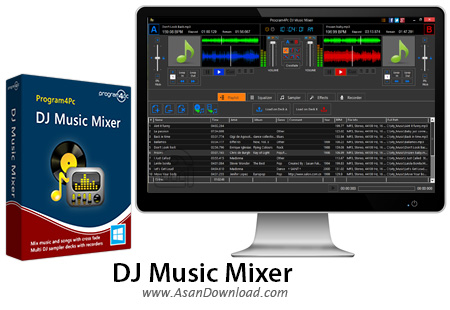
Bringing a clean and neatly organized interface and through a set of easy to use functions, this utility is well suited for beginners as well as advanced users. The classical two-deck layout is preserved and the variety of controls will satisfy even some of the more picky users.
A handy playlist module allows you to load the songs in the queue, while providing details like track time, artist, album, genre, BPM and file details including format, sampling rate and bit depth. A 10-band equalizer with 17 factory presets is also at your disposal for changing the sound of each of the two available decks.
There are even more tools to be found inside DJ Music Mixer and the dozen of samplers you can use is one of the most useful of the lot. You can even record a new sample on the spot, for any of the 12 available sampler decks.
Insofar as the effects you can use with this application, you will undoubtedly be pleased to know that it supports chorus, distortion, echo, flanger, gargle, reverb, parametric equalizer and waves reverb. The recording module helps you capture the output sound and adjust the gain using the dedicate slider.
The fact that DJ Music Mixer is able to work with both audio and video formats clearly sets it apart from other similar software. Through a nicely designed interface and carrying a strong set of features, this utility can be placed among the best in its category.