


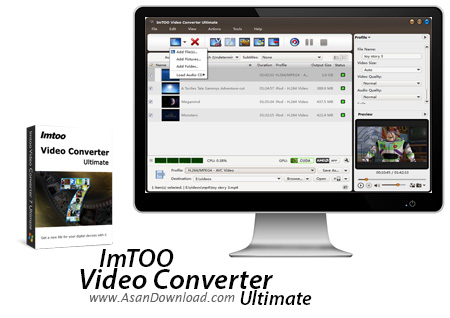
با این که دنیای سیستم های صوتی و تصویری آنقدر گسترش پیدا کرده که تقریبا اکثر دستگاه ها توانایی اجرای فرمت های رایج را دارند اما بازهم وجود مبدل ها برای بهتر شدن خروجی لازم و ضروری است. ImTOO Video Converter Ultimate نام ابزاریست که با پشتیبانی از فرمت های مختلف صوتی و تصویری امکان تبدیل فرمت ها را فراهم می کند و با سرعت قابل توجه به تبدیل فرمت های می پردازد. پشتیبانی از کدک های مختلف ویدئویی، سیستم های صوتی و تصویری و انواع گوشی و تبلت، امکان تنظیم خروجی برای کیفیت و اندازه تصاویر، تبدیل همزمان چند فایل ، پشتیبانی های از فیلم های دو بعدی و سه بعدی، ویرایش ساده فیلم ها و ده ها قابلیت ساده و پیشرفته دیگر در این ابزار گنجانده شده اند تا کاربران بهترین خروجی ها را داشته باشند.
قابلیت های کلیدی نرم افزار ImTOO Video Converter Ultimate:
- پشتیبانی از فرمت های مختلف صوتی و تصویری
- امکان ویرایش ساده فیلم ها و ترکیب کلیپ های کوتاه
- پشتیبانی از فیلم های دو بعدی و سه بعدی
- هماهنگی با انواع کدک های ویدئویی
- پشتیبانی از انواع تبلت ها ، گوشی های موبایل و ...
- سرعت بالا در تبدیل فیلم ها
- توانایی تنظیم کیفیت صدا و تصویر خروجی
- تبدیل همزمان چند فایل ویدئویی
- سازگار با نسخه های مختلف سیستم عامل محبوب مایکروسافت ویندوز
- و ...


ImTOO Video Converter Ultimate is an application that you can use to easily encode media files between multiple formats, such as AVI, MP4, MOV, RM, MP3 and WAV.
The interface of the program is clean and intuitive. Video clips can be imported into the list via the file browser or "drag and drop" method. Batch processing is allowed.
In the queue you can check out the name, duration, output profile, size and status of each video. Once you specify the output destination and format, you can proceed with the conversion task.
Furthermore, you can modify audio and video preferences when it comes to quality, aspect ratio, size, frame rate, sampling, channels, volume, bit rate and others.
But you can also insert lyrics, preview clips in a built-in media player and take snapshots, edit metadata (e.g. title, author, comment) and customize the CPU core number.
On top of that, you can load an audio CD, view file properties, trim clips by marking their start and end time, create a new output profile, check out a log window, hide unidentifiable items from the list, set post-task actions (e.g. exit program, turn off computer), enable ImTOO Video Converter Ultimate to run in the background in low priority, and more.
The video encoding software uses a pretty high amount of system resources, includes a brief help file for novices, quickly finishes a task and keeps a very good image and sound quality. We haven't come across any issues during our tests and highly recommend ImTOO Video Converter Ultimate to all users, no matter what level of experience they have.

