




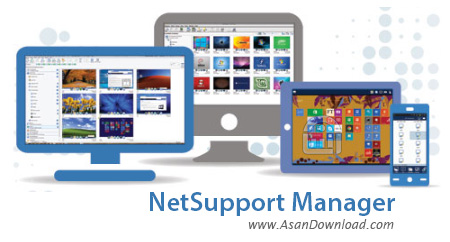
کاربرانی که با مدیریت شبکه های رایانه ای سروکار دارند مطمئنا با ابزارهای متعددی هم دست و پنچه نرم کرده اند که بتوانند بهترین کارآیی را در سیستم شبکه خود داشته باشند. نرم افزارهای زیادی هستند که می توان با کمک گرفتن از آن ها یک شبکه از رایانه ها را مدیریت کرد اما در شبکه های رایانه ای هم مانند دیگر موضوعات نرم افزاری نام هایی هستند که نمی توان از آن ها به سادگی عبور کرد و معمولا کاربران حرفه ای استفاده از آن نرم افزار را به تمامی ابزارهای موجود ترجیح می دهند و در مدیریت شبکه رایانه ها هم نام NetSupport Manager همیشه بر سرزبان ها بوده و سال هاست در که کلاس های درس، شبکه های کوچک و بزرگ رایانه، بسیاری از کافی نت ها و به طور کلی جاهایی که چند سیستم در کنار هم به عنوان یک شبکه جمع شده باشند مورد استفاده قرار می گیرد. نرم افزار فوق حرفه ای و بسیار کامل از امکاناتی که می توان با استفاده از آن ها به عنوان معلم یا مدیر برروی عملکرد دانش آموزان یا کلاینت ها مدیریتی کامل داشت و عملکرد تمامی آن ها را دائما مورد چک و بازبینی قرار داد. این ابزار با داشتن امکاناتی نظیر نمایش میزکار کلاینت ها، هماهنگی با شبکه های رایانه ای با مدل های مختلف، محدود کردن دسترسی کلاینت به منابع سیستم و شبکه، آموزش دادن از طریق شبکه با این ابزار، به اشتراک گذاری اینترنت و محدودسازی دسترسی به سایت ها و بسیاری قابلیت های دیگر حرفه ای ترین مدیران و بزرگترین شبکه های رایانه ای را مطمئنا راضی نگه خواهد داشت. بیش از 20 هزار شبکه رایانه در سراسر جهان به عنوان مشتری از این محصول استفاده می کنند که اکثر آن ها شبکه هایی با بیش از 100 رایانه هستند. نسخه کامل NetSupport Manager را ما برای دانلود قرار داده ایم. هیچ گونه محدودیتی برای تعداد کلاینت ها و دسترسی مدیر به آن ها وجود ندارد. تنها کافیست دو نسخه دانش آموز و معلم برروی سیستم های کلاینت و سرور نصب شود تا مدیر بتواند کنترل کامل سیستم ها را به دست بگیرد. واسط کاربری و منوها هم آنقدر واضح و ساده هست که حتی مبتدی ترین کاربران هم بتوانند تنها در طی چند ساعت تمامی آن ها را فرا بگیرند.


Being able to monitor and record the activity that takes place on one or more computers that are connected to your network is in a lot of cases very important and useful. As an employer, not only can you ensure that the employees are doing their jobs accordingly but also offer them immediate and direct support for any issues that can appear.
NetSupport Manager Remote Control is an application that offers monitoring capabilities for a large number of computers and can be accessed from your computer, laptop, tablet and even smartphone. You can use it to connect via LAN and WAN, as well the Internet. It’s a secure and fast way of connecting users and requires no firewall configuration.
As a monitoring tool, it provides you with a live feed from a target computer which you can save as as recording and watch it at any time. You can also forward the video feed you receive to other users. It offers text and audio chat possibilities and allows screen annotations. The application enables you to monitor multiple computers at the same time and displays their feeds in thumbnail size windows. Their sizes are adjustable and provide you with instant access using a simple click.
NetSupport Manager Remote Control displays a more than comprehensive interface and is a very good solution for remote collaborations. Besides being able to view and record all the screen activity, the utility also enables you to jump in at any time and take control of the target PC. Moreover, you can reverse the monitoring process by transmitting your computer activity to other connected devices.
This remote manager also provides you with file transfer across computers and even folder synchronization. You can also have the application extract detailed reports about installed operating systems and hardware configurations. This way, you’re always aware if any changes or update needs.
With all the above to consider and a lot more to discover NetSupport Manager Remote Control is a complete solution for monitoring as well as remote support.



