


مدتهاست به فکر فروش دوره آموزشی خودتی، اما درگیر ساخت سایت، درگاه پرداخت، حفاظت از ویدیوها و پیدا کردن راهی برای فروش هستی؟
لازم نیست برای هرکدوم سراغ یک ابزار جدا بری یا درگیر مسائل فنی بشی.
با دورهساز میتونی سایت آموزشی خودت رو راهاندازی کنی، دورههات رو با خیال راحت بفروشی و دانشجوهات رو مدیریت کنی؛ همه در یک پلتفرم.
تو روی آموزش و رشد کسبوکارت تمرکز کن؛ دورهساز ابزارهای لازم رو در اختیارت
میذاره.
آمادهای تخصصت رو به یک کسبوکار آموزشی تبدیل کنی؟
بانک تمام الکترونیک بانک سامان عضو شبکه شتاب بانک مرکزی با پشتبانی آنلاین 24 ساعته بدون نیاز به تماس تلفنی از طریق چت آماده خدمت رسانی بدون نیاز به مراجعه فیزیکی به بانک می باشد.
مزایای افتتاح حساب در بانک سامان و دریافت کارت بلو بانک:
- افتتاح حساب رایگان به صورت آنلاین بدون حداقل یک ریال موجودی
- انتخاب رنگ کارت و ارسال رایگان کارت بانکی به آدرس دلخواه شما
- ارسال پیامک رایگان تراکنشهای حساب، بدون آبونمان سالانه
- انتقال هوشمند پول بدون نیاز به داشتن شماره شبا، پایا و ساتنا
- دریافت سود ماهیانه ۱۰%، ۳ ماهه ۱۲%، ۶ ماهه ۱۷% و یک ساله ۲۰/۵%
- دریافت وام بدون ضامن و وثیقه از ۲۰۰ تا ۱ میلیارد و۴۰۰ میلیون تومان
- افتتاح حساب بلوجونیور برای فرزندان ۷ تا ۱۴ ساله
- و...
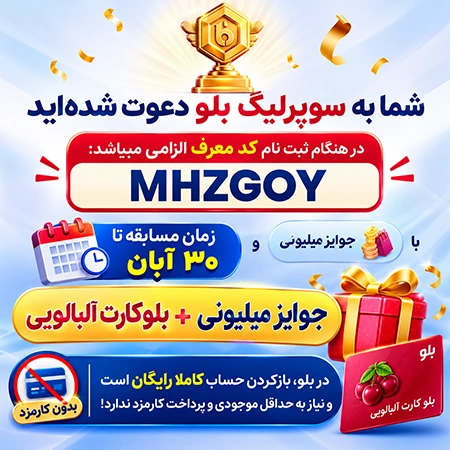
جهت دریافت هدیه 300 هزار تومانی هدیه ثبت نام فقط کافیه نرم افزار بلو بانک را از لینک های زیر بر روی گوشی هوشمند خود نصب کنید و کد معرف ( MHZGOY ) را داخل نرم افزار بلو بانک ثبت نمایید، بعد از احراز هویت و تکمیل مراحل ثبت نام هدیه 300 هزار تومانی معرفی را خیلی راحت دریافت نمایید!
- دانلود از بازار ، دانلود از مایکت ، دانلود نسخه اندروید لینک ، دانلود نسخه IOS لینک
در هنگام ثبت نام کد معرف الزامی میباشد: MHZGOY

با روند رو به افزایش استفاده از فلش دیسک ها خرابی ها و فرمت کردن های این نوع حافظه ها هم بیشتر شده و کاربران مجبورند برای انجام بسیاری از کارها فلش را فرمت کنند یا به دنبال رفع خرابی های احتمالی باشند. USB Disk Storage Format Tool نام یکی از نرم افزارهای کاربردی در این زمینه است، نرم افزاری رایگان که حجم آن حتی از یک مگابایت هم کمتر است و بدون نیاز به دانش خاصی دسترسی به ابزارهای مختلف برای استفاده هرچه بهتر از USB فلش را امکانپذیر می سازد. گزینه ها و آپشن های مختلف برای فرمت و پیکربندی سریع فلش دیسک جز مهم ترین قابلیت های این برنامه است. هماهنگی با تمام سیستم فایل ها برای فرمت، پیداکردن خرابی ها و رفع آن ها در صورت امکان، ساخت فلش دیسک های با سیستم فایل FAT32 برروی حافظه های 32 گیگابایت به بالا، هماهنگی و پشتیبانی از تقریبا تمامی برندهای رایج، پاک کردن اطلاعات از روی فلش که به صورت معمول امکان حذف آن ها وجود ندارد و ده ها قابلیت دیگر از جمله دیگر خصوصیات USB Disk Storage Format Tool محسوب می شود.


All Windows users surely know by now that there is always more than a single solution to each computer issue, be it software-related or hardware. The same applies when it comes to formatting a disk, as one can rely on the tool integrated in Windows or on a dedicated third-party app.HP USB Disk Storage Format Tool is a tiny freeware utility which has been designed for the HP Drive Key or DiskOnKey USB devices.
Installing it does not represent a problem whatsoever, since it is very compact and it can be run out-of-the-box, in other words no installation is actually required.The interface of HP USB Disk Storage Format Tool resembles the look of the Windows-integrated utility, thus making it easy for both beginners and experienced individuals to quickly get the hang of things.Users simply need to specify the device they wish to format, select the file system and assign the volume a label, then optionally choose quick format or enable compression.
One also has the possibility of creating a DOS start-up disk, by either using the internal MS-DOS system files, or the ones located at a specific path.
Quick selection of the drive to process One of the differences between HP USB Disk Storage Format Tool and the regular formatting tool found in Windows is the fact that this third-party freeware allows users to select USB drives, while the Windows version does not provide this option.Moreover, unlike this tiny utility, the Windows tool does not offer a NTFS volume label for format; the freeware in discussion also allows users to create a FAT32 volume which is larger than 32GB.
In addition, HP USB Disk Storage Format Tool enables users to rename all their USB flash drives in any way they want.Furthermore, HP USB Disk Storage Format Tool can be used to delete space on Flash drives that cannot be removed in the traditional way, create bootable USB drives, or simply remove any tracks of malicious software that may have infected it. HP USB Disk Storage Format Tool can be used to format USB storage devices that cannot be formatted by Windows.
Taking everything into consideration, we can say that HP USB Disk Storage Format Tool is an application you might want to keep around even if not planning to use it. Requiring no installation process and taking incredibly little disk space, it can easily be stored anywhere and only brought up when matters urgently need to be attended.