




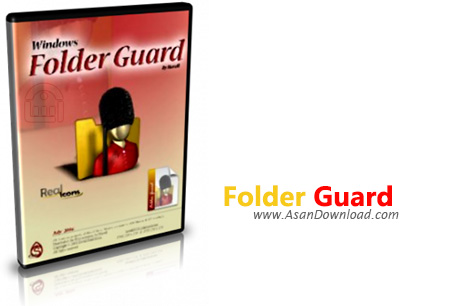
Folder Guard یكی از قدرتمند ترین نرم افزارهای امنیتی در رایانه به حساب می آید. با این نرم افزار قدرتمند میتوانید بر روی فایلهای و پوشه های خود كنترل كامل داشته باشید و سطح امنیت هر كدام یك از فایلهای خود را به سلیقه خودتان انتخاب كنید. بوسیله این نرم افزار قدرتمند میتوانید انواع محدودیتهای را در ویندوز و برای تك تك كاربران قرار دهید. شما میتوانید فایلها و پوشه های خود را را در محیط ویندوز مخفی، فقط
خواندنی، یا غیر قابل درسترس قرار دهید و با پسورد گزاری توسط این نرم
افزار بر روی فایلهای و فولدرها آن را از دسترس افراد و هكرها دور نمایید.
همچنین شما میتوانید كنترل كامل بر روی تمامی برنامه های ویندزو مانند
كنترل پنل، استارت منو، سرچ ویندوز، RUN و مخفی سازی درایوها و همچنین غیر
قابل دسترس كردن floppy, CD-ROM و... می باشید. پشتیبانی كامل از فرمتهایFAT، FAT32 ،NTFS، ... میباشد. با استفاده از این نرم افزار میتوان اطمینان
كامل داشته باشید كه بجز شما هیچ كسی نمی تواند به اطلاعات شما دسترسی
داشته باشد. همجنین میتوانید با غیر فعال كردن گزینه های Run، Search، Log
Off، Taskbar، Internet Options، Task Manager و اعمال محدودید برای تمامی
فعالیتهای ویندوز امنیت پایدار برای سیستم خود برقرار سازید
قابلیتهای كلیدی نرم افزار Folder Guard :
- پسورد گذاری برروی فایلها و فولدرها به صورت حرفه ای
- محیطی كاربر پسند و جذاب
- قابلیت فقط خواندنی کردن فایل ها و فولدرها
- قابلیت پنهان سازی فایل ها و فولدرها و اطلاعات شما به صورت پیشرفته
- بدون محدودیت در قفل گذاری فایلها و پوشه ها
- امکان غیر قابل دسترس کردن فایل ها و فولدرها
- امکان محدود کردن درایوهای CD ، DVD ، USB ، floppy
- خالی کردن ظاهری محتوای یک فولدر
- رمز گذاری فایلها و فولدر ها با امنیت بالا
- اننتخاب رمز عبور برای وارد شدن به برنامه
- خصوصی سازی ویندوز و امنیت فایلها
- پنهان کردن درایوها به صورت های مختلف
- پشتیبانی از ویندوز 64 بیتی، پشتیبانی از NTFS, FAT32, FAT
- امنیت بالا و محافظت اطلاعات رمز گذاری شده در برابر حمله جاسوس افزارها
- سازگار با نسخه های مختلف سیستم عامل محبوب مایکروسافت ویندوز
- و ...


Users are still dreaming about a Windows version that gives them the
possibility to protect with a password certain folders, but until that happens,
meet Folder Guard, a stand-alone app that could do that quite
easy.
Specifically designed to protect folders with passwords, Folder Guard
installs and runs in a minute, but it’s very important to pay attention to every
single step.
In fact, even developers seem to be extra cautious, warning the
user every time that in case he forgets the password, he may lose access to the
protected folder. That’s why the installer also attempts to create a restore
point, trying to help the user stay on the safe side and protect his data in
case of accidents.
Folder Guard is thus able to protect a desired folder with
a password and it’s not at all difficult to configure the application. There’s a
wizard to guide you through the whole process, letting you set up not only the
password to the respective folder, but also the one for protecting the app per
se.
There’s a second way to guard your files though. Folder Guard comes with
a file explorer right in the main window, so it’s enough to browse to your
folder and right click it for instant protection.
In addition, you can change
its attributes and make it read-only, provide full access or restrict access
entirely unless you say otherwise.
In case there’s an accident and you lose
your password, and we all know that such accidents happen every once in a while,
don’t worry. Folder Guard gives you the option to create an emergency recovery
app that could be copied on a CD or on a USB flash drive to let you reset the
password in a second.
All in all, it’s all about security these days, and
until Microsoft will finally decide to work on this particular feature, Folder
Guard remains one of the best alternatives for users who want to protect their
data.



