


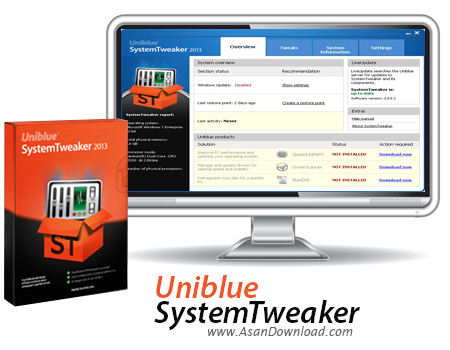
یکی از مهم ترین مشکلاتی که شاید ویندوز داشته باشد اولا دست یابی نسبتا سخت به تمامی گزینه هاست و ثانیا انجام سخت تغییرات در این گزینه هاست که معمولا کاربران عادی قادر نیستند به آن ها دست پیدا کرده و یا تغییراتی را در آن ها اعمال کنند. گاهی لازم است تا کاربر بتواند هر گزینه ای در ویندوز را به دلخواه خود تنظیم کند اما یافتن و ایجاد تغییر در بعضی از گزینه ها یا غیر ممکن است یا دست یافتن به آن بسیار سخت. اما با استفاده از نرم افزاری به نام Uniblue SystemTweaker می توان به راحتی گزینه های مختلف در ویندوز را برای استفاده بهینه از سیستم عامل ویندوز را تغییر داد.
این ابزار ساده قابلیت های متعددی برای افزایش سرعت عملکرد ویندوز دارد، برای مثال می توان گزینه های مختلف در Startup را تغییر دارد و یا گزینه های موجود در راست کلیک را کم یا زیاد کرد و بسیاری گزینه های دیگر که می توان به راحتی به آن ها دست پیدا کرد. برای مثال همین اضافه یا کم کردن گزینه به راست کلیک کار نسبتا دشواری است که می بایست در رجیستری صورت گیرد اما با این ابزار می توان با چند کلیک ساده این کار را انجام داد. Uniblue SystemTweaker با حجم مناسبی که دارد می تواند برای همه کاربران ابزاری راهگشا باشد.
قابلیت های کلیدی نرم افزار Uniblue SystemTweaker:
- اضافه شدن نرم افزار به عنوان یک گزینه در کنترل پنل
- قابلیت اعمال تغییرات در Startup
- امکان اضافه تغییر در راست کلیک ویندوز
- دست یابی به اطلاعات کامل سیستم
- مدیریت کامل بر شبکه برای افزایش سرعت ارتباطات
- قابلیت بهینه سازی کانکشن های اینترنتی
- وجود بیش از 50 گزینه در نرم افزار برای انجام تغییرات
- سازگار با نسخه های مختلف ویندوز از جمله ویندوز محبوب 7
- و ...


SystemTweaker is a very easy to use software solution designed to help you customize the Windows operating system by modifying a number of visual and technical features.
Although similar apps are usually a lot more complex and boast tens of options, SystemTweaker is a bit simpler and attempts to attract both beginners and more experienced users with a very friendly approach.
The well-organized interface relies on a tabbed layout, with four major sides: “Overview”, “Tweaks”, “System Information” and “Settings”.
As you can see, every single tab has a fairly self-explanatory name, but the most important one is undoubtedly “Tweaks”.
There are dedicated options concerning the Windows Start Menu, the Control Panel, network, media, Windows startup and shutdown, the right-click menu, administrative settings and other advanced Windows options.
This way, you can enable the Run command and the Recent Documents in Start Menu, disable remote administration access to floppy drives, show network error statistics, preserve program preference during print jobs, hide all desktop icons, show tooltip for Minimize, Maximize and Close buttons and use Explorer when opening My Computer.
SystemTweaker uses the “Overview” tab to let you easily create a restore point and thus stay on the safe side, while the “System Information” screen provides general computer details, system devices info and network data.
Just as expected, SystemTweaker works flawlessly on most Windows iterations, including Windows 7, but administrator privileges are needed to make modifications to this particular operating system.
Overall, SystemTweaker is a handy software solution that provides access to a number of hidden Windows features, allowing beginners and more experienced users alike to tweak the operating system fast and easy.

