



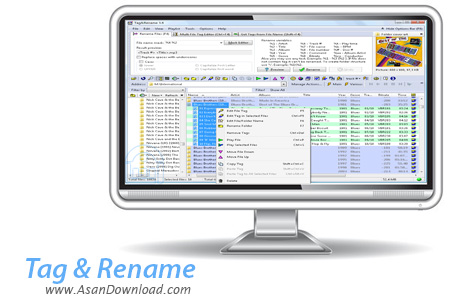
شاید بارها پیش آمده كه می خواهیم تگ های یك موزیك كه در حقیقت نام خواننده ، تاریخ ارائه و اطلاعاتی از این دست می باشد را ویرایش كنیم اما در این باره نتوانسته ایم نرم افزاری مناسب را انتخاب كنیم. اما باید گفت كه امروزه برای هر كاری گزینه ای هم وجود دارد كه بر مثال می توان در این مورد نرم افزاری به نام Tag&Rename را نام برد كه تنها برای همین كار طراحی و پایه گذاری شده است. استفاده بسیار آسان از این نرم افزار و پشتیبانی از فرمت های مختلف صوتی كه به صورت رایج مورد استفاده كاربران قرار می گیرد دو خصوصیت بسیار مهم و كلیدی این نرم افزار برشمرده می شود. Tag&Rename اطلاعات موجود برای هریك از فایل های صوتی را گشوده و قابلیت ویرایش آن ها را به كاربر می دهد. قابلیت تبدیل فایل های تولید شده از سوی این نرم افزار به فرمت هایی نظیر CSV، HTML، XML و البته TXT از دیگر قابلیت های مهم نرم افزار است. این نرم افزار كه از حجم بسیار مناسبی هم بهره می برد در عین سادگی می تواند برای همه كاربران بسیار هم مفید واقع شود چرا كه به مدیریت هرچه بهتر فایل های صوتی و دسته بندی آن ها كمك زیادی می كند.
قابلیت های كلیدی نرم افزارTag & Rename:
- سهولت در استفاده از نرم افزار
- امكان تبدیل به فرمت های رایجی نظیر CSV، HTML، XML و البته TXT
- پشتیبانی از اكثر فرمت های رایج
- امكان اعمال تغییرات به صورت آنلاین از سایت های ارائه دیتابیس
- امكان تغییر نام دسته ای فایل ها
- حجم پائین و نصب آسان نرم افزار
- سازگار با نسخه های مختلف سیستم عامل محبوب مایکروسافت ویندوز
- و ...


Designed for people who like to have their music collection well-organized, Tag&Rename is a tool that can help you easily edit music files' tags.
Using a Windows Explorer interface, Tag&Rename enables users to easily find music files and edit their detailed information. The searching process can be filtered by file / tag type or other criteria and the found files can be sorted according to your preferences. Besides that, you can listen to music using your favorite player, while managing multiple files.
The main role of Tag&Rename is to help you batch edit music tags. In order to do this, you just have to select the desired files, input detailed information about the artist, album, genre, year, comments and then use the 'Save Tags' button. Moreover, Tag&Rename supports many more additional tag fields, among which you can find cover art, lyrics, mood, rating, composer, file related URL's and so on.
With just one click, you will be able to save the selected music files to a M3U playlist that you can use later with other players. Moreover, you can easily assign a cover art to a folder or a file and even customize the track number.
Tag&Rename includes an MP3 Tag's synchronization wizard that you can use to easily sync between ID3v1 and ID3v2 tag data. You can also export music information in HTML, CSV or XML format if you want to use it with other applications.
One of the advantages that Tag&Rename offers you is the possibility to rename multiple music files at once by setting rename variables related to their embedded tag data. The program allows you to preview the result in a separate 'before and after' window. Furthermore, you can set customized renaming actions that the program saves for later use.
Tag&Rename is a lightweight and highly configurable application designed to help music enthusiasts manage their collections in an easy and intuitive way.


