



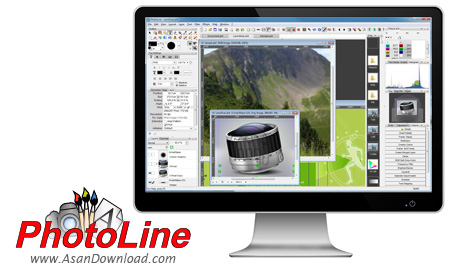
PhotoLine نرم افزاری قدرتمند برای ساخت تصاویر و ویرایش آنها به صورت حرفه ای است ، ابزار ترسیم تصویر و ویرایش برداری تبدیل دسته ای و ویرایش وب و با مدیریت رنگ با پروفایل های ICC است. همچنین توانایی ویرایش تصاویر دیجیتالی را نیز دارد و با ظاهری ساده که دارد قابلیت های فراوانی را در اختیار کاربرانش قرار می دهد. از ویژگی های منحصر به فرد این نرم افزار می توان به چند مورد آن از جمله ساخت گالری های HTML ،روتوش، اصلاح تصاویر ، ساخت انیمیشن با فرمت فلش و GIF ،اضافه کردن و ویرایش متن ، ساخت اسلاید شو و بسیاری دیگر که به چند مورد آن اشاره شد. پس اگر به دنبال نرم افزاری با قابلیت بسیار برای زیبا کردن و گرفتن معایب عکس خود هستید آسان دانلود به شما PhotoLine را پیشنهاد می کند تا با این نرم افزار که به صورت کاملا رایگان و نامحدود ارائه شده می توانید از عکس های خود لذت ببرید. محیط کاربری ساده و کاربر پسند را دارا می باشد . اندیشه ما رضایت شما است.
قابلیت های کلیدی نرم افزار PhotoLine:
- ترسیم تصویر، ویرایش برداری، تبدیل دسته ای، ویرایش وب و ...
- قابلیت ساخت انیمیشن با فرمت فلش و GIF
- قابلیت روتوش عکس ها
- قابلیت ساخت کتابچه
- پشتیبانی از لایه های عکس، بردار و متن
- قابلیت جستجوی پیشرفته
- توانایی مدیریت رنگ با پروفایل ICC
- پشتیبانی از بسیاری فرمت های تصویری
- قابلیت بررسی داده های EXIF و IPTC
- قابلیت ساخت تقویم دیواری و آگهی
- قابلیت ضبط عملیات و چاپ اتیکت و پوستر
- سازگار با نسخه های مختلف سیستم عامل محبوب مایکروسافت ویندوز
- و ...


PhotoLine is a comprehensive graphic editing tool that comes packed with a few interesting features.
The interface of the program is familiar and easy to navigate through. You can use either the file browser or "drag and drop" method to import pictures.
So, you can use basic graphic editing tools, such as magnifier, circle, vector drawing, color picker, crop, text, eraser, mask, copybrush and flood fill.
But you can also apply filters (e.g. sharpen, blur, quality, digital camera, stylize) and effects (e.g. mosaic, lights, projection, emboss, tear paper).
In addition, you can use undo, redo and search functions, zoom in and out, enable pixel mode, mark extreme values, change the document layout (e.g. scale, rotate, trim), create a barcode, merge the active layer with the background layer and make image adjustments (e.g. invert colors, hue, saturation, color balance).
Furthermore, you can enable PhotoLine to create a backup file when saving and to ask to work with the saved image, configure PDF settings (e.g. resolution, text and image compression), use the system mouse cursor, set the color of the transparent area, adjust the mask color intensity, change the screen resolution, and more.
The graphic editing program uses a moderate amount of system resources, includes a comprehensive help file with snapshots for all user levels and didn't freeze or crash during our tests. We strongly recommend PhotoLine to all users, especially experienced ones.


