




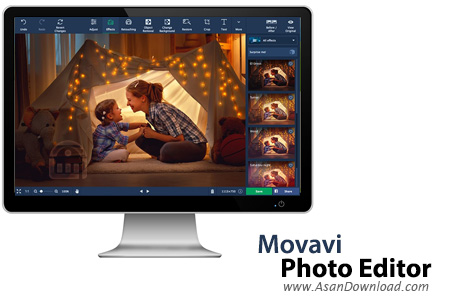
Movavi Photo Editor نام نرم افزاری کارآمد، بسیار سبک و کم حجم با انبوهی از قابلیت های مختلف برای ویرایش و تدوین عکس ها با امکان پشتیبانی از فرمت های رایج است. نرم افزاری که واسط گرافیکی بسیار مدرنی دارد و همان اول همه کاربران می توانند با آن ارتباط کاملی برقرار کنند. تقریبا تمامی قابلیت های رایج و معمول برای ویرایش ساده تصاویر در این نرم افرار گنجانده شده است تا کاربران در کمترین زمان ممکن بتوانند عکس ها و تصاویر خود را با بهترین کیفیت ممکن ویرایش نمایند. استفاده بسیار ساده و آسان از نرم افزار، بهبود کیفیت رنگ و وضوح تصاویر، بازیابی و ویرایش عکس های قدیمی، تغییر پس زمینه عکس ها، امکان به اشتراک گذاری در سرویس های مختلف، وجود انبوهی از افکت های مختلف در زمینه های گوناگون و ده ها قابلیت دیگر از جمله خصوصیاتی هستند که در این نرم افزار به چشم می خورند. Movavi Photo Editor با دو پلتفرم 32 و 64 بیت به صورت کامل هماهنگ است و به صورت جداگانه عرضه می گردد.


Movavi Photo Editor provides a quick and easy method to enhance your photos. Whether you want to erase an element in the scenery that ruins its beauty or improve image quality and adjust colors, this application can do it.The principle that Movavi Photo Editor relies on is simple: there is no need for a complex graphic editor to perform simple operations such as removing objects or adjusting graphic parameters.
One can do it all from the simple and user-friendly interface of this application, where all the options and functions are one-click away.To help you even more and make things much easier, popup messages with a short description of a button and its function are displayed each time you select a new tool. And if that is not enough, there is a help section that comprises detailed usage instructions.With Movavi Photo Editor, removing an object from an image is easy. Select areas of the same color with the 'Magic Wand', use the 'Lasso' tool to outline an item and the eraser to remove selections. dditionally, you can clone objects or replace entire picture areas, crop photos, flip and rotate images.Aside from object removal, this application enables you to easily adjust photo parameters, such as brightness, contrast, saturation, hue, temperature, tint, exposure, gamma, highlights and shadows, blur and sharpness.
A smart combination of these and you can obtain a work of art. Used properly, Movavi Photo Editor can remove an unwanted object from an image, making it look like it was never there in the first place. Furthermore, it allows image manipulation and fine adjusting, improving picture quality. With a bit of patience and the image adjusting tool set that this application provides, you can get the perfect shot.



