



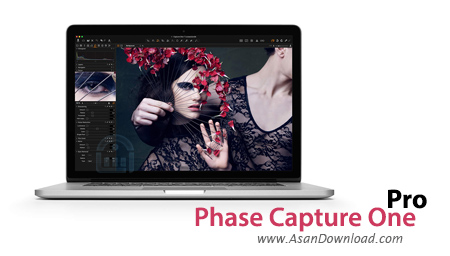
برنام های کاربردی زیادی در زمینه ویرایشگر عکس ها در آسان دانلود قبلا معرفی کرده ایم که قابلیت های متفاوتی دارند و بسته به همین قابلیت ها مورد توجه کاربران قرار می گیرند. هدف ما این است تا با معرفی اکثر برنامه های موجود در این زمینه دستان کاربران را برای انتخاب مناسب ترین نرم افزار باز بگذاریم. Phase Capture One نام یکی از حرفه ای ترین و در عین حال کاربردی ترین نرم افزارها در زمینه ویرایش و تدوین عکس هاست. برنامه ای که با اکثر دوربین های عکاسی حرفه ای هماهنگ شده و قادر است فرمت خام RAW را مورد ویرایش قرار دهد. تقریبا همه قابلیت های لازم برای یک ویرایش حرفه ای در این نرم افزار گنجانده شده است. هماهنگی با همه فرمت های رایح، هماهنگی با بیش از 500 مدل از انواع دوربین های عکاسی، بهره گیری آسان از قابلیت های نرم افزار و انواعی از قابلیت های مدرن دیگر از جمله خصوصیاتی هستند که در Phase Capture One به چشم می خورند. با توجه به حجم قابلیت ها و سیستم های سخت افزاری مورد نیاز این نرم افزار فقط به صورت 64 بیت ارائه می شود و برروی این دست از سیستم عامل ها کار خواهد کرد.


Capture One Pro is a complex application that bundles professional tools, designed for image editing.Upon program startup, you are welcomed by a screen where you can view an intro video, as well as online tutorials, or select your workspace (default or simplified).The user interface is intuitive and flexible. Nevertheless, most novices need more time to get accustomed to it, in comparison with expert users.The View menu contains a wide array of options - the Viewer (large image preview), Browser View (displays image thumbnails), Loupe tool (to quickly check focus while viewing the entire image), full screen, slideshow, Capture Pilot (rate and capture images on Apple devices), and many more.
Furthermore, you can use various tools from the toolbar menu - select (move to, trash), pan (overlay, watermark), zoom (pick focus point, loupe), crop (add or remove aspect ratio), straighten (rotate freehand), keystone (vertical, horizontal), remove spot, local adjustments (draw, erase, toggle mask display), effects (pick white balance, skin tone, shadow level etc.), and apply adjustments.The Tool Tabs offers you access to Library, Capture, Quick, Color, Exposure, Lens Correction, Metadata, Adjustments Clipboard, and Output. So, you can configure color sensitivity, split tones, curve levels, contrast, brightness and saturation, sharpening, noise reduction (basic and advanced), moire, spot removal, clarity, styles and presets, optimize workflow, customize the toolbar, workspaces and hotkeys, simultaneously work in two sessions, and more.
Capture One Pro demands a massive amount of system resources, and sometimes it has a slow response time. The software comes with a well-drawn documentation (contains snapshots and video tutorials). However, it would probably be difficult for first-time users to work their way through Capture One Pro. Nevertheless, we strongly recommend this software for advanced image editing.


