



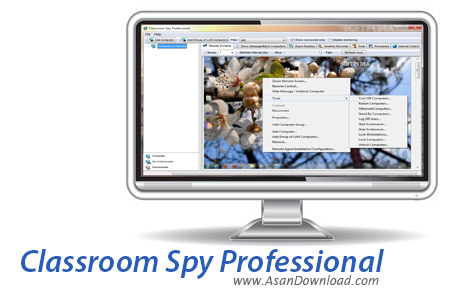
Classroom Spy نام نرم افزاری قدرتمند در زمینه مدیریت شبکه های رایانه ای در کلاس های درس است. این نرم افزار قدرتمند قادر است تا با امکاناتی که دارد مدیریت کلاس را به صورت کامل برای مدیران کلاس فراهم آورده و کار آموزش را برای دانش آموزان و دانشجویان آسان تر و لذت بخش تر نماید. ریموت کنترلر کامل برروی تمامی سیستم های شبکه و مشاهده دائم دسکتاپ ها از جمله مهم ترین قابلیت های این نرم افزار مفید است؛ اشتراک گذاری دسکتاپ سیستم مدیریت برای آموزش به دیگر کاربران شبکه، به دستگیری کنترل ماوس و کیبورد، قفل نمودن تمامی سیستم ها برای جلوگیری از کار با سیستم ها، امکان ضبط تصاویر از صفحه نمایش کاربران، امنیت بالا و همچنین سازگاری با انواع شبکه ها از دیگر امکانات کلیدی نرم افزار Classroom Spy به شمار می رود. این نرم افزار هرچند شاید به نظر بسیار کوچک و ساده باشد اما قابلیت هایی که دارد همگی می توانند کمک کنند تا کار آموزش به شکلی دنبال شود که هم استاد و هم دانشجو بهتر به خواسته های خود دست پیدا کنند.
قابلیت های کلیدی نرم افزار Classroom Spy:
- سازگاری کامل با انواع شبکه ها
- امکان ارتباط از طریق اینترنت
- کنترل کامل کاربران
- مشاهده لحظه به لحظه دسکتاپ کاربران
- امکان به اشتراک گذاری صفحه نمایش مدیر
- قابلیت بستن بخش های مختلف سیستم کاربران نظیر ماوس و کیبورد
- ضبط تصاویر صفحه نمایش کاربران
- امنیت بالا از طریق قراردادن پسورد
- استفاده بسیار آسان از نرم افزار
- سازگار با نسخه های مختلف سیستم عامل محبوب مایکروسافت ویندوز
- و ...


The Classroom Spy Professional allows you to monitor live screens of remote computers or show you screen to students. You can take control of a remote computer by controlling the mouse and keyboard. This way, you can always watch what users are doing on the remote computer. Additionally you can also record student's screens. Several tools allow you to turn off, restart, hibernate or remote computers with one click.
Starting program on remote computers is easy. What is it useful for?
· For monitoring and recording your students activities on a remote computers.
· For monitoring students in the classroom to achieve better discipline or, just to assist them when they are in trouble (by using the remote control feature).
· For administrating all computers just from one location - your computer,or presenting your screen to students.
· For locking students computers while they are waiting for further instructions or assignments.
· Helping your students by showing your desktop to them.
· Turning off, restarting, remote computers with one click.
What are the major benefits of using Classroom Spy Professional?
· Installation and use of the application is very easy since all of the functions can be accessed with a few mouse clicks.
· You have complete control over what remote users are doing.
· You can prevent internet browsing on remote computers.
Classroom Spy Professional provides you with a live picture of the remote computer screens. The live screen (due to some optimizations) does not use a high bandwidth, but even when the lower network bandwidth is required the refresh interval can be enlarged using one mouse click.
You can make the presentation by showing your live screen to students. Classroom Spy Professional allows you to take over the remote computer by controlling its mouse and keyboard. The remote computers' screens are represented in the table with a customizable number of rows as thumbnails.



