



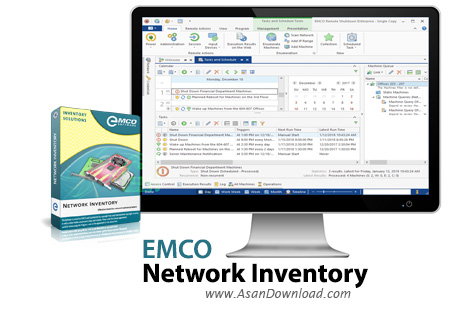
نرم افزارهای مختلفی برای مدیریت شبکه ها وجود دارند اما کمتر نرم افزاری پیدا می شود که مانند EMCO Network Inventory بتواند تمامی اطلاعاتی که کاربران از سیستم های کامپیوتری چه به لحاظ نرم افزاری و چه به لحاظ سخت افزاری لازم دارند به آن ها ارائه دهد. ابزاری بسیار کارآمد و البته بسیاری گران قیمت که در هر سطحی از شبکه های کامپیوتری قادر است تنها در عرض چند ثانیه تمامی اطلاعات سخت افزاری و نرم افزاری سیستم های موجود در شبکه را در اختیار کاربرانش قرار دهد. واسط گرافیکی بسیار مدرنی برای نرم افزار در نظر گرفته شده که کار را دسترسی به تمامی گزینه های موجود در نرم افزار فوق العاده ساده تر خواهد کرد. بانک اطلاعاتی قدرتمندی که این نرم افزار از سیستم های موجود در شبکه ایجاد می کند می تواند شامل اطلاعاتی اعم از اطلاعات کامل نرم افزاری و اطلاعات کامل سخت افزاری باشد. عملکرد این برنامه آنقدر دقیق هست که حتی می توان نام آنتی ویروس نصب شده برروی سیستم عامل را به راحتی رویت نمود. ساخت این بانک اطلاعاتی از موارد و سیستم های موجود در شبکه در سطح گسترده فوق العاده می تواند فوق العاده کاربردی باشد. اگر به مدیریت شبکه و اطلاعات هریک از سیستم ها نیاز دارید پیشنهاد می کنیم از EMCO Network Inventory بهره بگیرید.


EMCO Network Inventory Enterprise is a full-featured network auditing application designed to assist you in keeping track of all the hardware and software components.The application can scan the file system or the registry of all the remote workstations and retrieve detailed information concerning all the inventory items, including data about hardware and installed applications, software licenses and system settings.All the gathered information is displayed in tree view, in order to facilitate the fast and easy navigation.
You can view a summary sheet for each network machine, comprising details about hardware, software and system configuration.The application enables you to view installed applications, shared folders, manage monitors and printers, physical, CD and logical drives, processors, adapters, services, memory banks and ODBC data sources. You can use it to view running processes on each PC, manage user accounts and scheduled tasks.The scanning operation can be easily customized by creating exclusion lists, which include machines or entire IP ranges that will not be included in the search. What's more, you can specify custom criteria for scanning files, registry entries or services.Aside from viewing inventory statistics on screen, the application features reporting capabilities.
It can generate printable reports comprising all or parts of the collected information, which can also be exported to various formats.EMCO Network Inventory Enterprise enables you to generate a centralized SQL database that includes details on each of the connected computers, which can really prove useful to network administrators. Its customization options for scanning conditions and the built-in SQL query creator enables you to quickly get an overview of all the assets and quickly identify unused or missing resources.


