




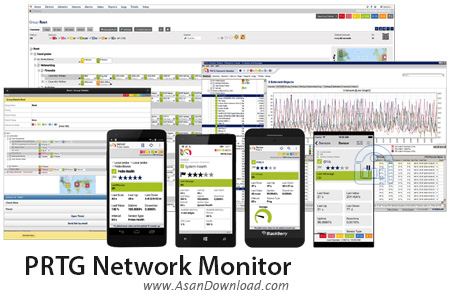
یکی از حرفه ای ترین نرم افزارهای موجود در زمینه شبکه های رایانه ای و مانیتورینگ شبکه را برای این پست در نظر گرفته ایم. نرم افزاری که امکانات فوق العاده ای دارد و در کنار واسط گرافیکی جذاب با انواع تبلت ها و گوشی های تلفن همراه هم برای مانیتورینگ شبکه سازگار بوده و به نوعی می توان آن را یکی از بهترین ها دانست. PRTG Network Monitor نام این نرم افزار بسیار کارآمد است که با تقریبا تمامی مدل های شبکه سازگار است و قابلیت هماهنگی با سخت افزاری مختلف شبکه را هم داراست. نظارت کامل برروی انواع ارتباطات در شبکه، واسط گرافیکی کاملا تعاملی، شناسایی خودکار سخت افزارها در شبکه، سرعت عملکرد فوق العاده نرم افزار، توانایی هماهنگی با سرویس دهنده های اینترنتی، قابلیت گرفتن گزارش از نرم افزار و ده ها قابلیت دیگر بخش هایی از امکانات بی نظیر این نرم افزار را تشکیل می دهد.
قابلیت های کلیدی نرم افزار PRTG Network Monitor:
- مدیریت و مانیتورینگ شبکه به صورت فوق حرفه ای
- هماهنگی با انواع شبکه و سخت افزارهای آن
- واسط گرافیکی بسیار پویا و تعاملی
- تهیه گزارش از نرم افزار به شکل های مختلف
- نظارت برروی پهنای باند در شبکه و اینترنت
- توانایی کنترل پهنای باند در شبکه
- هماهنگی با انواع سوئیچ های مدرن در شبکه
- وجود 50 سنسور برای نظارت جامع در شبکه های کوچک و بزرگ
- سازگار با نسخه های مختلف سیستم عامل محبوب مایکروسافت ویندوز
- و ...


PRTG Network Monitor is a useful monitoring tool designed to retrieve information from multiple sensors and send notifications to the responsible network administrators. Its purpose is to provide you with real-time information in order to easily identify and solve problems.
Network administrators have the permanent need to know what is happening with various devices from their networks. Whether they want to view the bandwidth usage or the availability of a certain resource, this program has the right tools for the job.
In order to receive updated info, you have to run the program and configure the desired sensors. It automatically detects the network interfaces and allows you to select from a wide range of sensors in order to retrieve the required data.
When adding a new alert a wizard guides you through the required steps and allows you to filter the available tools by using the target system type or the used technology. Thus, you can check the CPU usage on a Windows machine or check the number of messages from an email server.
The interface is available in any Internet browser and provides quick access to the sensors, alarms and reports. Additionally, you have the option to create network maps which enable you to access a certain device or probe from a complex network.
Since the main goal of the application is to provide information, it comes with multiple report templates and is able to generate and schedule additional reports. The retrieved information can be displayed in the browser, exported to a PDF file or sent to an email address.
One of the advantages of this tool is the variety of resources that can be monitored. The list includes database servers, file servers, computers, virtual machines and multiple operating systems.
If you need stay in touch with the devices from your network, the PRTG Network Monitor is a versatile tool with advanced reporting features. It also includes an extensive documentation and video tutorials which recommends it for all user categories.



