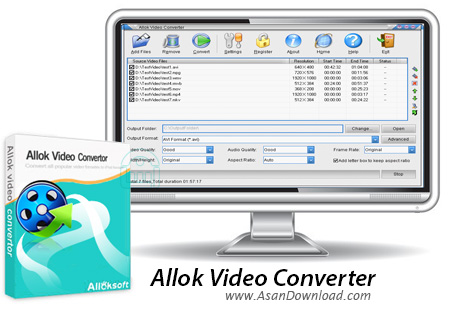
Allok Video Converter is a simple-to-use program which allows you to encode video files to several formats, including AVI, MPG, WMV, MP4 and VOB.
The interface of the software is clean and pretty intuitive. Video clips can be imported into the list by using either the file browser or "drag and drop" method. Batch conversion is permitted.
In the queue you can read the source path, resolution, start and end time, along with status of each file. The idea is simple - specify the output format and directory, and then proceed with the encoding job.
Furthermore, you can change audio and video settings when it comes to the codec, sample frequency rate, frame rate, aspect ratio and volume, move items up and down in the list, as well as split videos by marking their start and end time values.
In the "Settings" area you can change the interface language, select the video decoder engine and CPU usage level, as well as enable Allok Video Converter to automatically turn off the computer once all tasks have been completed.
The video conversion program quickly finishes a task while using a low-to-moderate amount of system resources, includes a step-by-step tutorial with snapshots for all user levels and didn\'t freeze or crash during our tests. The image and sound quality is generally preserved at a good level. However, Allok Video Converter failed to encode an AVI file to MPEG during our tests. Plus, the video didn\'t run smoothly after an ASF-to-MPG conversion. We recommend Allok Video Converter with some reservations.