




مدتهاست به فکر فروش دوره آموزشی خودتی، اما درگیر ساخت سایت، درگاه پرداخت، حفاظت از ویدیوها و پیدا کردن راهی برای فروش هستی؟
لازم نیست برای هرکدوم سراغ یک ابزار جدا بری یا درگیر مسائل فنی بشی.
با دورهساز میتونی سایت آموزشی خودت رو راهاندازی کنی، دورههات رو با خیال راحت بفروشی و دانشجوهات رو مدیریت کنی؛ همه در یک پلتفرم.
تو روی آموزش و رشد کسبوکارت تمرکز کن؛ دورهساز ابزارهای لازم رو در اختیارت
میذاره.
آمادهای تخصصت رو به یک کسبوکار آموزشی تبدیل کنی؟
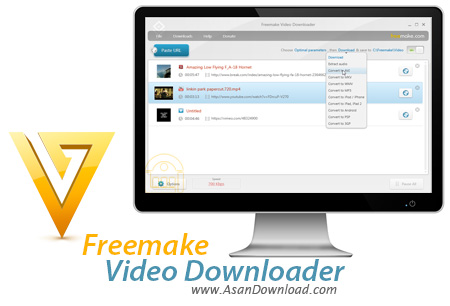
Freemake Video Downloader نرم افزاری حرفه ای برای دانلود ویدئوهای آنلاین می باشد. به کمک این نرم افزار می توانید تا فیلم های مورد علاقه خود را دانلود کرده و از تماشای آنها لذت ببرید. شما با کمک این نرم افزار می توانید انواع ویدئوهای آنلاین را از سایت های مختلف نظیر شبکه های اجتماعی دانلود نمائید و برروی سیستم رایانه ای خود ذخیره نمائید. همچنین این نرم افزار با سرعت بالا فیلم ها را برای شما دانلود می کند و همزمان می توانید فیلم ها را به یکی از فرمت های WMV و MP4 تبدیل کنید. ذخیره سازی با کیفیت بالای HD هم از قابلیت هایی است که بسیار برای کاربران اهمیت دارد و این ابزار در اختیار آن ها قرار می دهد.
قابلیت های کلیدی نرم افزار Freemake Video Downloader:
- قابلیت دانلود صوت از Youtube.com بدون کاهش کیفیت
- امکان دانلود با سرعت بالا
- قابلیت دانلود ویدئوها از سایت های اشتراکی ویدئو
- امکان دانلود از شبکه های اجتماعی رایج
- توانایی تبدیل ویدئو دنلود شده به AVI, MKV, 3GP, MP3, iPod, PSP, Android
- قابلیت ذخیره دانلود فیلم ها در فرمت های MP4, FLV, WebM
- توانایی حذف اتوماتیک تبلیغات گذاشته شده بر روی ویدیوهای یوتیوب
- سازگار با نسخه های مختلف سیستم عامل محبوب مایکروسافت ویندوز
- و ...


Freemake Video Downloader is a powerful Windows application that allows you to download clips from popular video sharing services and convert them from one format to another.
The program comes with support for an impressively large collection of websites, including YouTube, ComedyCentral, Faceboook, Dailymotion, Vimeo, MTV and others.
Besides the fact that it also lets you use a username and password for the services that ask for authentication, Freemake Video Downloader provides a very simple download procedure that reduces the whole job to just a few clicks.
Once you copy the video link in your browser, you're prompted to hit the “Paste URL” button in the main window of the app. After that, Freemake Video Downloader processes the link and presents you multiple options, all of which concern the way the content is saved on your computer.
First of all, you need to define quality, which in most cases can be either a FLV or an MP4, with different resolutions and sizes, so choose the one that's more appropriate for you. Secondly, you're asked to choose the action, which can be either downloading the file, extracting the original soundtrack or convert the download video to one of the supported formats.
And speaking of supported formats, Freemake Video Downloader can handle AVI, MKV, MP3, iPod/iPhone, Android, PSP and 3GP files, each coming with its very own settings.
Because it can also download clips from adult websites, Freemake Video Downloader boasts a dedicated feature to lock adult sites, letting you set up a password and turn on parental control.
All in all, Freemake Video Downloader is clearly one of the best tools of its kind and thanks to its good looking interface, it is the right solution for both beginners and those more experienced. Definitely a five star product.


