




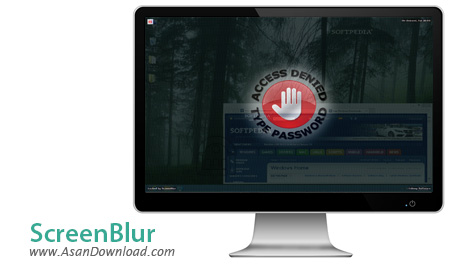
ScreenBlur نرم افزاری کاربردی با حجمی کم در زمینه قفل کردن دسکتاپ با استفاده از رمز عبور می باشد. این نرم افزار دارای چند گزینه ساده از جمله قفل خودکار برای قفل دسکتاپ بعد از بی حرکت ماندن ماوس برای مدتی و شروع به کار خودکار، برای اجرا شدن برنامه با بالا آمدن ویندوز و ... می باشد که کمک می کند اطلاعات شخصی شما به صورت محافظت شده باقی بماند.
امکانات ساده اما مفیدی که نرم افزار در اختیار شما قرار می دهد امکان بازیابی پسورد را هم فراهم می کند. همه کاربران به راحتی می توانند از گزینه های موجود در این ابزار نهایت استفاده را ببرند پس پیشنهاد می کنیم حتما این ابزار امنیتی را دانلود کرده و از داشتن آن و تامین امنیت لذت ببرید.
قابلیت های کلیدی نرم افزار ScreenBlur:
- امکان قفل کردن دسکتاپ با استفاده از رمز عبور
- قابلیت قفل خودکار برای قفل دسکتاپ
- توانایی قفل کردن صفحه نمایشگر با چپ کلیک روی آیکون برنامه
- امکان بازگردانی رمز در صورت فراموش کردن
- سازگار با تمامی نسخه های ویندوز از جمله ویندوز 7 و 8
- و ...


There are many dedicated tools on the market that make sure the data from your computer remains private from unauthorized viewing, while some applications manage to do so in the easiest way possible. ScreenBlur is one of the best examples, as it manages to deny the access of other users to your computer by locking your screen.
The user interface is clean and surely appeals even to less experienced users. ScreenBlur is able to lock your screen by setting up a password. It is possible to make the app show the characters of your password, as well as remember it.
You can make the program run at Windows start-up, lock the computer if it’s been idle for a specified time interval, and enable or disable sound notification. While the screen is locked you can select to hide or minimize anything that appears on your desktop, hide visible windows, icons, gadgets and the taskbar, or minimize windows and hide desktop icons.
It is important to mention that hotkeys are also available for a better control of the entire process, and they can be reassigned. You can lock the screen when you press a certain key, and activate or deactivate the desktop blackout feature.
Moreover, the application allows users to put the computer to sleep if it is locked after the specified time interval, and log the events.
ScreenBlur provides some preset desktop images to choose from, but it also offers the possibility of adding your own images to the list, provided that the file format is PNG, JPEG or BMP. It is possible to add a front and background image, to change the font colors for both of them, and to opt for a preview mode.
With a single click on the program’s icon in the system tray you can lock the screen, activate or deactivate the desktop blackout feature, open the settings menu, or temporarily enable or disable the locking option when the computer is idle.
In conclusion, ScreenBlur is a reliable application that can help you keep your data private by simply setting up a password. Thanks to its overall simplicity and many useful features, this tool may become one of the first choices for users of all levels of experience.



