




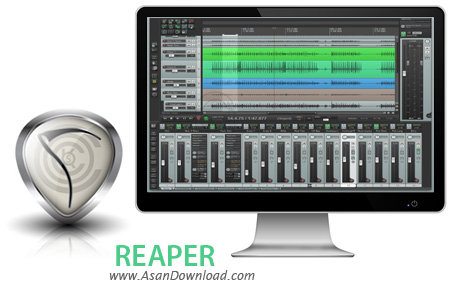
REAPER نام نرم افزاری ساده و سبک است که در عین سادگی توانایی ضبط صدا ، ویرایش و تدوین آن ها و گرفتن خروجی به صورت های مختلف دارد و قدرت تبدیل فرمت های مختلف صوتی را هم به کاربر می دهد. این ابزار که محیط بسیار جذابی هم دارد به سادگی قابل استفاده است و حتی مبتدی ترین کاربران هم می توانند پس از گذشت زمان کوتاهی اکثر قابلیت های این نرم افزار را فرا بگیرند. سرعت بالا در انجام کارها ، وجود افکت های مختلف صوتی ، پشتیبانی از اکثر فرمت های رایج هنگام تبدیل ، قابلیت گرفتن خروجی به شکل های مختلف و ده ها قابلیت دیگر از جمله خصوصیاتی هستند که در این نرم افزار به چشم می خورند. امکانات متعددی در REAPER گنجانده شده که می تواند فوق العاده مفید و کاربردی باشد به همین دلیل پیشنهاد می کنیم برای ویرایش فایل های صوتی از این ابزار بهره بگیرید.
قابلیت های کلیدی نرم افزار REAPER:
- ویرایش موزیک ها و فایل های صوتی
- امکان تبدیل فرمت های مختلف صوتی
- توانایی ساخت موزیک در نرم افزار
- سهولت در استفاده از نرم افزار
- واسط گرافیکی جذاب نرم افزار
- وجود افکت های مختلف صوتی
- توانایی بهینه سازی موزیک ها
- سازگار با نسخه های مختلف سیستم عامل محبوب مایکروسافت ویندوز
- و ...


REAPER is a tool that lets you record, edit, mix, render and arrange multi-track waveform audio. It sports complex features, so it has been designed for power users.
The user interface is friendly and easy to use (by experts), and it is divided into several areas - the main menu, right-click menu, main window toolbar, track control panels, main window and edit area, timeline and mixer.
But you can view other areas, such as the floating mixer master, big clock, dynamic split, FX browser, transport bar, and virtual MIDI keyboard.
REAPER supports input and output aliasing (you can give names to your audio inputs and outputs), MIDI devices, VST plugins, envelope editing, user defined interface themes, custom actions and macros, 3D surround, mouse modifiers, pitch envelopes, Media Explorer preview time selection, multi-channel track monitoring, input recording and track meters, configurable per-channel diffusion, and more.
The program uses a moderate amount of system memory (which is quite surprising), comes with a complete documentation that can be downloaded for free from the developer's website, and its overall response time to commands is very good. Moreover, we have not encountered problems of any nature when testing this software.
In conclusion, REAPER is certainly a professional tool for experts in the audio editing department, so beginners would have trouble handling it properly (but learning is an option). The variety of controls makes audio processing a breeze.



