


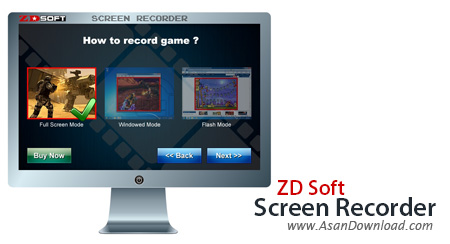
ZD Soft Screen Recorder نرم افزاری کاربردی و حرفه ای در زمینه فیلم برداری از صفحه نمایش می باشد. این نرم افزار قدرتمند می تواند به سادگی از صفحه نمایش شما فیلم هایی را با کارایی بالا ضبط کند؛ این نرم افزار قدرتمند و حرفه ای از می تواند همانند یک دوربین فیلم برداری واقعی تمامی رخداد های صورت گرفته بر روی صفحه نمایش را ثبت کنید و با بهترین کیفیت ممکن و با فرمت دلخواه کاربر ذخیره نماید. امکان تهیه فیلم از بازی ها یکی از مهم ترین خصوصیاتی است که در این ابزار گنجانده شده است که بسیاری از کاربران به آن اهمیت ویژه ای می دهند. قابلیت عکس برداری با بهترین کیفیت ممکن و استفاده از کلیدهای میانبر هم برای دسترسی سریعتر به امکانات نرم افزار از جمله مواردی هستند که می توان به آن ها اشاره نمود.
قابلیت های کلیدی نرم افزار ZD Soft Screen Recorder:
- توانایی ضبط صفحه نمایش به صورت صاف و بدون کند شدن کامپیوتر
- امکان فشرده سازی همزمان با فیلم برداری جهت فیلم برداری طولانی
- قابلیت تعیین برنامه زمان بندی جهت شروع و پایان فیلم برداری
- ثبت صداها از چند منبع مختلف به صورت همزمان
- توانایی فیلم برداری از محیط با بهترین کیفیت
- امکان فیلم برداری از چند صفحه نمایش
- قابلیت ضبط منابع چندگانه صوتی در یک زمان
- توانایی گرفتن عکس با استفاده از کلید های میانبر
- ضبط صفحه نمایش چند مانیتوره
- هماهنگ سازی کامل صوتی و تصویری
- توانایی نشان دادن شماره FPS بر روی صفحه بازی PC
- پشتیبانی از فرمت های ویدئویی AVI و WMV به عنوان خروجی برنامه
- سازگار با نسخه های مختلف سیستم عامل محبوب مایکروسافت ویندوز
- و...


ZD Soft Screen Recorder is a software that allows you to capture screenshots in several methods.
Once you initiate the program with the user-friendly interface, you can select to create a screen demo (cursor tracking, partial screen, full screen).
But you can also capture media video (web streaming, media player, other), record game play or share your screen.
So, you can plug in a microphone if you want to narrate your actions, capture from line, resize the view box and place it anywhere on the screen, as well as use keyboard shortcuts to initiate the recording process.
In addition, you can set the output file name and directory, open the output destination, configure video settings (e.g. uncompressed video, width, height, frame rate, video codec, debug, rate factor, command lines) and audio options (e.g. uncompressed audio, codec, bitrate, encoding quality, channels).
Moreover, you can configure the hotkeys, enable sticky view selection box, add a mouse click effect, show indicator and frame rate in game, hide the balloon message, and more.
The program uses a surprisingly low amount of system resources and didn't cause us any problems during our tests. However, there is no help file available, the image quality in the output files is not so great (in some cases, half of the recorded footage was completely distorted) and the overall video doesn't run smoothly.
So, if you want to try a software for recording activity on your computer, then we suggest ZD Soft Screen Recorder.

