



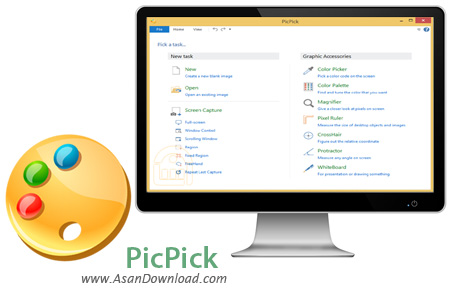
نرم افزاری که برای این پست آماده کرده ایم PicPick نام دارد که با داشتن امکانات مختلف برای تهیه عکس از صفحه نمایش و قابلیت ویرایش آن ها به سادگی می توان از آن به عنوان نرم افزاری کاربردی نام برد. واسط گرافیکی بسیار ساده اما فوق العاده کاربردی که این نرم افزار دارد این امکان را فراهم می کند تا کاربر تنها با چند کلیک ساده با کیفیت ترین عکس ها را تهیه کرده و به ویرایش و ذخیره سازی آن ها بپردازد. امکان زوم برروی عکس ها ، ویرایش تصاویر با امکانات مختلف ، سازگاری با زبان های مختلف دنیا از جمله فارسی ، توانایی رنگ آمیزی تصاویر به صورت شخصی ، وجود افکت های مختلف در نرم افزار ، توانایی ذخیره سازی با فرمت و کیفیت دلخواه و قابلیت های متعدد دیگر از جمله خصوصیاتی هستند که در نرم افزار PicPick به وضوح به چشم می خورند.
قابلیت های کلیدی نرم افزار PicPick:
- کیفیت بالا در عکسبرداری از صفحه نمایش
- ذخیره سازی با کیفیت و فرمت دلخواه
- توانایی زوم کردن برروی عکس ها
- ابزار و افکت های موجود در نرم افزار
- قابلیت رنگ آمیزی تصاویر قبل از عکسبرداری
- پشتیبانی از زبان های مختلف از جمله زبان فارسی
- سرعت بالای نرم افزار در عملکردهای مختلف
- سازگار با نسخه های مختلف سیستم عامل محبوب مایکروسافت ویندوز
- و ...


If taking screenshots and editing them is a task that you need to carry out often, then you are surely familiar with the 'Print Screen' button and, why not, Windows's famous image creation and editing tool 'Paint'.
Of course, for those who take this job very seriously, these tools are mere toys and only some dedicated applications are to be used for professional results. Among the best tools of its kind, PicPick emerges as a full-featured screen capturing solution that not only enables you to take pictures of the screen or a certain area, but also to edit the screenshots on the spot.
PicPick has everything you'd ever need when trying to capture something from your desktop. It helps you capture the whole screen, the active window, a certain region you select or a fixed area and you can even or repeat the last capture.
If you need to get into the image editing section, PicPick offers you some built-in functions you can use to crop, resize or rotate the picture, add some visual effects or simply draw or write something on top of the fresh capture.
Customizing the program settings can be done in great detail thanks to the 'Options' menu that enables you to configure the file naming scheme, auto save, hot keys or the editor. You can even associate certain graphic file types with PicPick.
All things considered, it's safe to say that this particular application is one of the best tools in its category. PicPick is very easy to use, highly customizable and packs enough features to satisfy even the most demanding users.


