



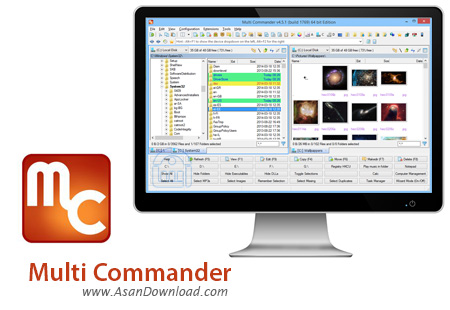
با این که Explorer ویندوز امکانات متعددی را برای مدیریت فایل ها و پوشه ها در اختیار کاربران قرار می دهد اما بازهم وجود ابزارهای مشابه در این زمینه می تواند دیگر سلیقه ها را هم پاسخگو باشد. Multi Commander نام نرم افزاری در زمینه مدیریت فایل ها در ویندوز است که به صورت کاملا رایگان عرضه می شود و با دارا بودن امکانات متعدد و خصوصیات گوناگون بسیاری از عملکردهای نسبتا تخصصی را هم جوابگو باشد. جست و جوی سریع و هوشمند، مرور فایل ها و پوشه ها به صورت Tab Browsing، امکان تبدیل فرمت عکس ها، ویرایش سایز و اندازه تصاویر، دسترسی سریعتر به پوشه ها و فایل ها ، پشتیبانی از انواع نسخه های ویندوز و ده قابلیت دیگر از جمله خصوصیات مهم و کلیدی این نرم افزار محسوب می شوند.
قابلیت های کلیدی نرم افزار Multi Commander:
- مدیریت ساده و کارآمد فایل ها و پوشه ها
- جست و جوی سریع و هوشمند فایل ها
- مرتب سازی به صورت هوشمند و خودکار
- امکان انجام انواع دستورها نظیر Copy , Cut و Past
- امکان مدیریت فایل ها به صورت Tab Browsing
- قابلیت تبدیل فرمت و سایز و اندازه عکس ها
- سهولت در استفاده از نرم افزار
- امکان آپلود عکس ها در انواع سرویس های اینترنتی و FTP سرورها
- سازگار با نسخه های مختلف سیستم عامل محبوب مایکروسافت ویندوز
- و ...


Multi Commander is a rich-featured multi-tabbed file manager which intends to replace Windows Explorer. Its extensive range of functions and customizable settings should be appreciated by experienced users who are always looking for new ways to enhance their file navigation experience.
The interface of Multi Commander is represented by two modes; one is similar to Windows Explorer, while the other one resembles Total Commander. The app offers two panes for browsing files and folders, thus giving you the possibility to easily navigate and perform various actions, from standard copying and pasting to more advanced tools, such as file packing and comparison.
As we have mentioned before, Multi Commander supplies users with a wide range of features. For instance, you can manage plugins and extensions (applications, file system, operations, properties), along with a list of aliases for directories, edit buttons, define custom commands (e.g. multi-script, external, batch script), as well as modify keyboard shortcuts for the menu, toolbar, buttons and other areas of Multi Commander.
Additional tools of the software application focus on the Clipboard copying method (e.g. file version, comma-separated list), renaming rules (e.g. uppercase, capitalize), text conversion (e.g. to the Unix, Mac formats), file security (e.g. take ownership) and file backups, just to name a few.
But you can also hide folders, executable files and DLLs, select all images from the current location, access 'Task Manager' straight from the main application window, customize the menu, and calculate checksum values, while you can explore the rest of the list of options.
Multi Commander requires a low-to-moderate amount of system resources, so it shouldn't slow down other currently running processes under normal circumstances. It has a good response time and includes complete user documentation. Although Multi Commander is not oriented toward beginners, the experienced user should be thrilled by the diversity of tools provided by this file manager.


