



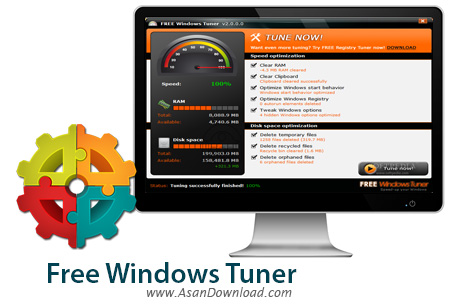
Free Windows Tuner نرم افزاری رایگان است که با انجام یک سری بهینه سازی در زمینه های مختلف باعث افزایش سرعت عملکرد ویندوز خواهد شد. این بهینه سازی ها علاوه بر این که عمر ویندوز را طولانی تر خواهند کرد باعث خواهند شد کارآیی آن هم افزایش پیدا کند.
بهینه سازی رم و پردازنده اصلی سیستم ، بهینه سازی رجیستری که هسته ویندوز است ، پاکسازی هارددیسک از فایل های اضافی ، افزایش سرعت بارگزاری ویندوز و ... از جمله مهم ترین خصوصیاتی هستند که در این ابزار به چشم می خورند.
قابلیت های کلیدی نرم افزار Free Windows Tuner:
- افزایش سرعت و کارآیی ویندوز
- بهینه سازی قسمت های مختلف سخت افزاری سیستم
- افزایش سرعت بارگزاری ویندوز
- بهینه سازی و پاکسازی رجیستری ویندوز
- پاکسازی و بهینه سازی هارددیسک سیستم
- رایگان بودن و سرعت بالای عملکردهای نرم افزار
- سازگار با نسخه های مختلف ویندوز از جمله ویندوز محبوب 7 و 8
- و ...


Free Windows Tuner is a performance booster that promises to increase the speed of your system up to 80%, although we’ve all heard that one before.
Whether it’s successful or not is a matter of experiencing with it- still, some of the operations it attempts are very unclear to us. The basic principle it relies on involves cleaning a set of key computer sections which are known to be the cause of a slow system.
We were very much disappointed by the installation process, that carries you through a series of toolbars and third-party applications that you don’t need at all and we strongly advise you to pay attention during deployment.
In terms of appearance, Free Windows Tuner is impressive, sporting a colorful and cool look that appeal to the user. On the left side, you will be able to see a brief summary of the computer speed, available RAM and disk space.
The right side is populated with the list of tweaks that will be performed automatically once you press the ‘Tune Now’ button, without an option to select which of them to apply. By default, all of them will be performed during the repair process, no exceptions made.
A summary of the operations that will succeed includes clearing the RAM and the clipboard, optimizing the startup behavior and the Windows registry, tweaking Windows options, as well as deleting temporary, recycled or deleted files.
Many of these have very vague names, failing to pinpoint the specifics of the optimization type they were designed for, ergo our doubts. However, some of them can be actually verified, like if, for instance, the temp files were delete indeed or if the clipboard was cleared.
On an ending note, Free Windows Tuner has a certain dose of ambiguity wrapped around it and having experimented with a wide array of similar applications, we’d definitely chose a more cautious approach.


