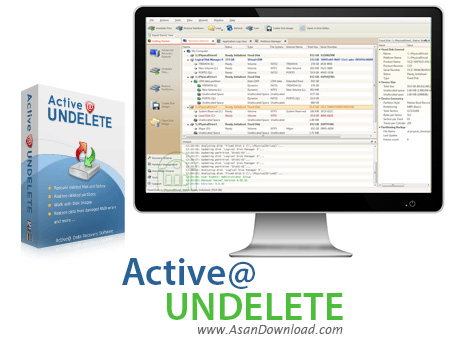
Active@ UNDELETE is a straightforward data recovery solution worth having when you need to scan disks for deleted or damaged partitions, restore accidentally deleted files or folders from your existing volumes, create a virtual RAID array and recover lost files by any reason.
Because it supports various file systems such as NTFS, FAT, FAT32, HFS+ and UFS, the application provides functions for working with partitions, as well as creating, opening and verifying images of disks. It allows you to explore and browse all data storage devices on your PC in different ways, as well as find and recover lost data.
Once you launch Active@ UNDELETE, you will be prompted with a new window from where you can choose the action you are interested in. The left panel displays all of the available wizards that will guide you throughout the entire process of managing your partitions and disk images, or recovering your data. Features like decrypting files and creating a new RAID assembly are also available in the ‘Advanced Tools’ category.
After selecting the recovery wizard you are interested in, the program will automatically scan the selected volume (logical drive) surface in order to detect all the accidentally deleted files and folders. After the scanning process is complete, you will be able to browse the list of all detected files and recover them with ease.
In case you want to create a new partition or simply rollback all the changes, you can access the ‘Partition Management’ section, from the left panel. The ‘Restore Deleted Partitions’ wizard is able to detect all the deleted or damaged partitions, optionally modify its geometry and finally restore the partition, without changing its file format.
By accessing the ‘Disk Image Wizards’ section, you are able to create a new copy of the selected volume or physical disk and verify its integrity. What’s more, you can use disk image compression in order to save space in the destination location. However, you need to keep maximum compatibility with third-party disk image applications.
If you want to create a new virtual RAID assembly, all you have to do is to choose the physical devices in the correct order, then specify device boundaries, in case they are needed.
To sum things up, Active@ UNDELETE enables you to recover lost files on NTFS, FAT, FAT32 and HFS+ file systems and restore deleted partitions effortlessly.