




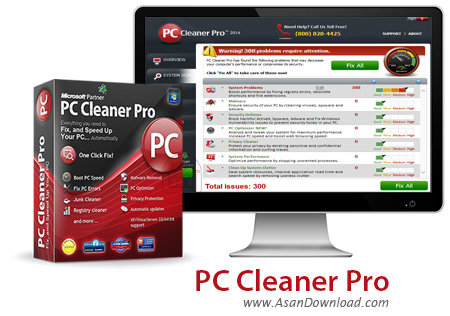
PC Cleaner نرم افزاری بسیار کاربردی است که برای پاکسازی کامل ویندوز در بخش های مختلف ساخته و طراحی شده که با استفاده از جدیدترین تکنولوژی ها با پاکسازی کامل فایل های اضافی در بخش های مختلف ویندوز علاوه بر افزایش سرعت و کارآیی آن باعث پایداری و افزایش طول عمر ویندوز نیز خواهد شد. واسط گرافیکی بسیار حرفه ای و جذاب، سرعت بالا در عملکردها، سهولت در بهره گیری از نرم افزار، رفع خرابی های موجود در ویندوز و رجیستری و... از جمله دیگر امکاناتی هستند که در این ابزار سبک و کم حجم دیده می شوند.
قابلیت های کلیدی نرم افزار PC Cleaner:
- واسط گرافیکی بسیار جذاب و کاربرپسند
- سرعت بالا در عملکردها و اسکن سیستم
- جست و جو و یافتن فایل های اضافی در قسمت های مختلف ویندوز
- افزایش سرعت و کارآیی ویندوز با استفاده از این ابزار
- بهینه سازی قسمت های مختلف ویندوز
- رفع خرابی های موجود در بخش های مختلف
- سازگار با نسخه های مختلف سیستم عامل محبوب مایکروسافت ویندوز
- و ...


PC Cleaner Pro is a reliable all-in-one maintenance utility that helps you scan your computer for errors, old files and viruses, then fix them with ease.
Using PC Cleaner Pro also helps you boost your computer's overall performance and stability by cleaning up unnecessary files.
Malware and other security threats are easily found and removed by this program, ensuring that your computer is secure and your data protected.
This program also deletes cookies and other confidential information from your computer, thus keeping your sensitive data away from prying eyes.
PC Cleaner Pro can help you increase your computer's performance, by stopping any unwanted or inactive processes that run in the background.
Furthermore, you can easily clean up memory by removing any obsolete files or registry error data.
Before any change is made, the application gives you the possibility to create a system restore point, just in case you have accidentally deleted a file that was essential for a program .
You can avoid deleting important yet old files by adding them to an exceptions list, thus excluding them for the scan.
PC Cleaner Pro also keeps a log with all the scans and fixes ever made, so you can easily check when you last scanned your computer.



