




مدتهاست به فکر فروش دوره آموزشی خودتی، اما درگیر ساخت سایت، درگاه پرداخت، حفاظت از ویدیوها و پیدا کردن راهی برای فروش هستی؟
لازم نیست برای هرکدوم سراغ یک ابزار جدا بری یا درگیر مسائل فنی بشی.
با دورهساز میتونی سایت آموزشی خودت رو راهاندازی کنی، دورههات رو با خیال راحت بفروشی و دانشجوهات رو مدیریت کنی؛ همه در یک پلتفرم.
تو روی آموزش و رشد کسبوکارت تمرکز کن؛ دورهساز ابزارهای لازم رو در اختیارت
میذاره.
آمادهای تخصصت رو به یک کسبوکار آموزشی تبدیل کنی؟
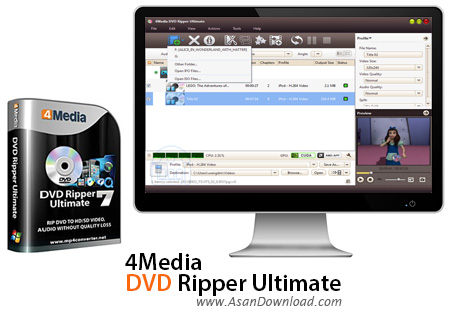
برای این مطلب نرم افزاری به نام 4Media DVD Ripper Ultimate را آماده کرده ایم که توانایی تبدیل دی وی دی فیلم ها به فرمت های رایج ویدئویی را دارا بوده و این امکان را فراهم می کند کاربر بتواند فیلم های مختلفی که در یک دی وی دی ذخیره شده است را استخراج نموده و به راحتی در سیستم های مختلف اجرا نماید. کیفیت بالا در استخراج فیلم های با کیفیت، پشتیبانی از فرمت های مختلف ویدئویی، سرعت بالا در تبدیل و استخراج و واسط گرافیکی جذاب و کاربرپسند را می توان از قابلیت های کلیدی و مهم این نرم افزار دانست. داشتن چنین نرم افزاری به شما این امکان را می دهد فیلم هایی که برروی دی وی دی ها ذخیره شده اند را به صورت یک ویدئو با کیفیت بالا به راحتی اجرا نمود.
قابلیت های کلیدی نرم افزار 4Media DVD Ripper Ultimate:
- واسط گرافیکی جذاب و کاربرپسند نرم افزار
- سازگاری با فرمت های رایج صوتی و تصویری
- استخراج و Rip کردن فایل های موجود برروی دی وی دی ها
- سرعت بالا در تبدیل و استخرا فیلم ها
- امکان تنظیم خروجی به صورت شخصی
- سازگار با نسخه های مختلف ویندوز
- و ...


4Media DVD Ripper Ultimate is an application that you can use to turn DVD videos into common file types, such as AVI, ASF, MOV and MP4. But it can also prepare items for iPod, PS3, PSP and Xbox, among other devices, as well as extract the audio stream and save it to AAC, AC3, MP3, WAV and others.
The tool is packed in a user-friendly interface in which you can load a DVD video by using either the file browser, folder view or "drag and drop" function. Processing multiple DVD clips in a single session is possible.
The file queue provides the name, duration, number of chapters, output profile and size, along with status of the DVD movie. By using the default settings, you can immediately proceed with the encoding procedure by specifying the output destination and type.
Audio and video preferences can be configured in regard to the frame rate, aspect ratio, size, bit rate, quality, channel mode and volume level. You can create new output profiles but cannot restore these options to default.
Furthermore, you can select the audio track and subtitle language, as well as preview clips in a built-in media player, trim them and take snapshots. Plus, you can crop and merge videos, adjust the image (e.g. contrast, saturation), as well as add watermarks (text or image) and apply effects (e.g. black and white, oil painting).
4Media DVD Ripper Ultimate can be set to run in the background in low priority mode, as well as to exit or to power off the computer after conversion. It supports multiple skins and languages and allows you to use a bit rate calculator. The tool quickly finishes a task while using a high amount of system resources and delivers a good image and sound quality. We have not come across any issues during our tests.


