




مدتهاست به فکر فروش دوره آموزشی خودتی، اما درگیر ساخت سایت، درگاه پرداخت، حفاظت از ویدیوها و پیدا کردن راهی برای فروش هستی؟
لازم نیست برای هرکدوم سراغ یک ابزار جدا بری یا درگیر مسائل فنی بشی.
با دورهساز میتونی سایت آموزشی خودت رو راهاندازی کنی، دورههات رو با خیال راحت بفروشی و دانشجوهات رو مدیریت کنی؛ همه در یک پلتفرم.
تو روی آموزش و رشد کسبوکارت تمرکز کن؛ دورهساز ابزارهای لازم رو در اختیارت
میذاره.
آمادهای تخصصت رو به یک کسبوکار آموزشی تبدیل کنی؟
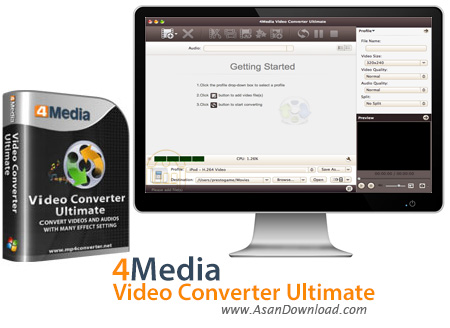
مبدلی برای همه فرمت های ویدئویی با امکانات بسیار عالی برای این پست آماده کرده ایم که 4Media Video Converter Ultimate نام داشته و این قابلیت را فراهم می کند در سریعترین زمان ممکن بدون هیچ گونه دردسری کاربر بتواند فیلم ها و ویدئو کلیپ های خود را به راحتی به فرمت دلخواه تبدیل کند. سازگاری با انواع فرمت های ویدئویی ، هماهنگی با انواع سیستم های صوتی و تصویری قابل حمل ، امکان تبدیل فیلم های دو بعدی و سه بعدی ، سرعت بالا در تبدیل ، تبدیل همزمان چند فایل ویدئویی ، امکان تنظیم کیفیت خروجی و استفاده از نهایت کیفیت برای فیلم ها از جمله مهم ترین خصوصیاتی هستند که در این ابزار به چشم می خورند.
قابلیت های کلیدی نرم افزار 4Media Video Converter Ultimate:
- پشتیبانی از فرمت های مختلف صوتی و تصویری
- تبدیل فیلم ها با کیفیت بالا
- هماهنگی با فیلم های دو بعدی و سه بعدی
- هماهنگی با سیستم های صوتی و تصویری قابل حمل
- توانایی تنظیم خروجی به دلخواه کاربر
- امکان تبدیل همزمان فایل های مختلف صوتی و تصویری
- سهولت در بهره گیری از همه امکانات نرم افزار
- سازگار با نسخه های مختلف ویندوز از جمله ویندوز محبوب 7 و 8
- و ...


4Media Video Converter Ultimate is an application which enables you to encode video clips to multiple formats, including ASF, AVI, MOV, MP3, WAV and MKV.
The interface of the program is clean and intuitive. Media files can be imported into the list by using either the file browser, treeview or "drag and drop" method. Batch processing is supported.
In the queue you can check out the name, duration, output profile and size, along with status of each file. So, after you establish the output profile and directory, you can proceed with the encoding job.
In addition, you can configure audio and video settings when it comes to the quality, size, channels, volume, aspect ratio, frame rate, bit rate and others.
But you can also edit metadata and lyrics, preview clips in a small, built-in media player and take snapshots, cut videos by marking their start and end position, load an audio CD, check out a log window, set post-task actions (e.g. exit program, turn off computer), enable 4Media Video Converter Ultimate to run in the background in low priority mode, customize the CPU core number, and more.
The media conversion software requires a pretty high amount of system resources, has a brief step-by-step tutorial, quickly finishes a task and manages to preserve a good image and sound quality. No errors have occurred during our tests and 4Media Video Converter Ultimate did not freeze or crash. Apart from the fact that the unregistered version has some harsh limitations, we strongly recommend 4Media Video Converter Ultimate to all users.


