



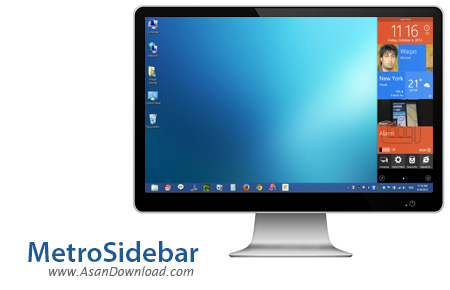
برای این مطلب نرم افزاری آماده کرده ایم که MetroSidebar نام دارد و در عین اینکه بسیار کاربردی است واسط گرافیکی ویندوز و محیط دسکتاپ را جذاب تر خواهد کرد و کاربران از یکنواختی محیط ویندوز به محیطی پویاتر هدایت خواهند شد. این نرم افزار یک سایدبار جذاب به محیط ویندوز اضافه می کند ترکیبی از جذابیت و محیط مدرن مترو است.
سهولت در نصب و اجرای نرم افزار ، عدم کاهش کارآیی سیستم ، محیط بسیار جذاب نرم افزار ، وجود انواعی از گجت های زیبا در نرم افزار که تعداد آن ها بسیار بالا بوده و محدودیتی برای کاربران ایجاد نمی کند ، از جمله خصوصیاتی مهم و کلیدی هستند که در این ابزار قابل مشاهده هستند.
قابلیت های کلیدی نرم افزار MetroSidebar:
- جذاب تر شدن محیط ویندوز
- وجود انواعی از گجت های کاربردی برای ساید
- طراحی مدرن مترو برای سایدبار
- عدم کاهش کارآیی سیستم
- سازگار با نسخه های مختلف ویندوز از جمله ویندوز محبوب 7 و 8
- و ...


MetroSidebar is a small-sized software utility that was especially designed to bring back to your desktop those colorful widgets of Windows Sidebar featured in Vista operating systems.
The application carries out just like an ordinary sidebar providing you with instant access to your frequently used programs, system data or to the information you most desire, like news, weather forecasts or sport events.
The utility is placed on the right-side of your desktop and you can choose to leave the sidebar as it is or if you don't like to restrict your working space, you can enable the auto-hide function.
MetroSidebar comes bundled with many so-called mini-applications, that are commonly named gadgets that can perform various types of actions. Upon initialization, you only get a digital clock, a search engine and a weather forecast service.
Seeing as the default gadgets are only a few, the application enables you to add tiles of your choosing, such as a battery meter, alarm clock, application launcher, Media Player, Windows search engine, power shortcuts, user account information and a picture slideshow.
In case all these tiles aren't enough or you want to replace existing ones with others, you can download those which you like the most from the Internet.
Various customization options are at your disposal, allowing you to run MetroSidebar when Windows starts, lock the sidebar's position as it is or hide it or choose to always display it on top of your desktop. Furthermore, you can set it to show the activation bar whenever you point to the upper or lower-right corners of the screen.
MetroSidebar runs on low system resources and due to its auto-hide function, it does not interfere with your daily computer activity. Although, it would prove useful to be able to change skins or enable transparency or position settings.


