




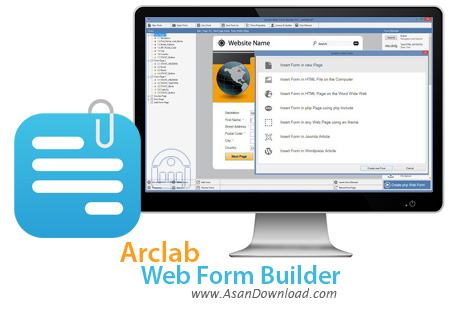
نرم افزاری که برای این پست در نظر گرفته ایم Arclab Web Form Builder نام دارد. ابزاری بسیاری کاربردی برای طراحان وب و کسانی که در طراحی سایت و مدیریت سایت ها فعالیت دارند می توانند بسیار مناسب و کاربردی باشد. به راحتی چند کلیک ساده می توان فرم های ارتباط با ما با فیلدهای مشخص و با انتخاب کاربر تعیین کرد و به سادگی آخرین تکنولوژی ها را در آن به کار برد.
تمامی فیلدها نظیر منوهای مختلف کشویی ، انواع دکمه ها ، ورودی تاریخ ، چک باکس ها ، کدهای کپچا و ... را می توان به سادگی در این نرم افزار برای فرم مورد نظر تعبیه نمود. واسط گرافیکی ساده ای هم که نرم افزار دارد کمک می کند کاربران سریعتر به خواسته های خود دست پیدا کنند. عدم نیاز به نوشتن حتی یک خط برنامه نویسی، محیط کاربری جذاب و قابلیت تنظیم تمامی موارد یک فرم بخشی از قابلیت های مهم این نرم افزار را تشکیل می دهند.
قابلیت های کلیدی نرم افزار Arclab Web Form Builder:
- پشتیبانی کامل از HTML و PHP
- ساخت فرم با تنها چند کلیک ساده
- قابلیت ایمن سازی فرم با حروف امنیتی
- استفاده از WYSIWYG
- قابلیت ساخت فرم به صورت مستقیم برروی سرور FTP
- استفاده از فلش، XML و PHP
- طرح های آماده متعدد و زیبا
- قابلیت استفاده از پس زمینه برای فرم
- قابلیت ارسال فایل به فرم
- قابلیت قرار دادن تصویر به جای دکمه ارسال
- ساخت فرم های زیبا بدون دانستن حتی کلمه ای از زبان HTML
- قابلیت ساخت فرم هایی که بدون تکمیل تمامی موارد ارسال نمی شوند
- استفاده از Drag & Drop در بسیاری از موارد در نرم افزار
- استفاده فوق العاده آسان از نرم افزار
- پوسته های متفاوت و زیبا
- محیط کاربری بسیار ساده در عین حال جذاب
- سازگار با نسخه های مختلف ویندوز از جمله ویندوز محبوب 7 و 8
- و ...


Nearly any business or service, big or small, is dependent of an active Internet connection. Most might require registration or specialized fields that need to be completed and submitted for you to receive desired content or data. Implementing this and keeping credentials secured requires a certain level of coding knowledge, but with the help of Arclab Web Form Builder anyone can design a form template and implement it in a web server.
At its core, the application is more or less an interface for specific lines of code you would otherwise have to write down in the development process. The intuitive design lets you carefully place and edit items in a workspace and view the result as it would appear to the end user.
Implementation should not be a thing to worry about, the generated form being based on HTML and PHP makes it compatible with a large majority of web servers. A single file is created containing your design, which you can either save locally, or choose to perform a FTP upload.
In terms of functionality, the application is equipped with various form elements that can meet any demand. From simple text fields, check boxes and design elements, to Captcha requirements or custom HTML codes, you can equip the workspace with anything you consider important.
Arranging elements on the workspace is done easily, either by inserting them in the order you want them to appear or through dedicated arrangement buttons. What's more, editing options give you free hand in customizing visual aspects, such as size and text formatting options, as well as additional code fields for more enhancement possibilities.
On an ending note, Arclab Web Form Builder can save you a great amount of time when it comes to implementing specific forms in your website. The intuitive interface lets you better visualize and arrange elements, without having to worry about the code itself. It's compatible with most web servers and definitely worth a try.



