



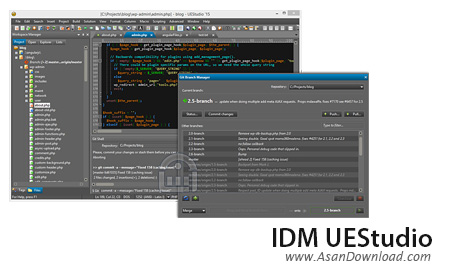
IDM UEStudio کامپایلری بسیار قدرتمند است که با پشتیبانی از زبان های برنامه نویسی به راحتی کار پردازش و ترجمه و کامپایل کدها را به بهترین شکل ممکن امکانپذیر می سازد. ابزاری که از 30 زبان برنامه نویسی پشتیبانی کرده و با بهره گیری از استانداردهای مختلف در کدنویسی سرعت عمل را بالا خواهد برد. سرعت بالا در کامپایل، قابلیت عیب یابی یا اشکال زدایی هوشمند، امکان کنترل ورژن VCS، مبدل پروژه، نوشتن کدهای تحت وب، نمایش خطاهای گرامری یا املایی و ... از جمله قابلیت های کلیدی هستند که می توان به آن ها اشاره نمود.
قابلیت های کلیدی نرم افزار IDM UEStudio:
- سرعت بالا در کامپایل
- هماهنگی با 30 زبان برنامه نویسی برای کامپایل
- توانایی عیب یابی و اشکال زدایی
- قابلیت کنترل ورژن VCS
- امکان نوشتن کدهای تحت وب با قابلیت های مختلف
- نمایش خطاهای گرامری یا املایی
- مدیریت و ویرایش کدهای یک پروژه
- واسط گرافیکی ساده اما مدرن و کارآمد
- سازگار با نسخه های مختلف ویندوز از جمله ویندوز محبوب 7 و 8
- و ...


UltraEdit is an editor that supports text, HTML, PHP, XML, JavaScript, Perl, HEX, Java and other programming tools. Basically, you can use it for web development, programming, or if you simply want to replace Notepad.
You are welcomed by a quick start guide that shows you how to perform various tasks in UltraEdit. This is ideal for novice users.
When you first initialize it, you can configure programming, web development and general file associations. Although it's a program with a fairly small size, UltraEdit has a complex interface.
The main sections found here are File View (a tree structure in which you browse hard drives, CDs or FTP accounts for files), Open Files, Output Window, and Template List, while the side bar contains Clipboard History, Macro List, Script List, and XML Manager.
There are many, many features displayed in the menu bar, so you need some time to go through everything. If you do not know where to start, just use the help file.
UltraEdit has a column mode that changes the editor so you can select text, a class viewer, a resource editor and code folding.
Furthermore, it supports command line parameters, drag and drop files and text, but also sports a PHP script debugger and a spell checker while you write. You can brace match functionality, view the total number of lines which contain the find string, and more.
On top of everything else, UltraEdit uses a small amount of CPU and memory resources.
So, if you want the necessary software components of a web developer and programmer all rolled up into one, then you can take a look at UltraEdit.


