



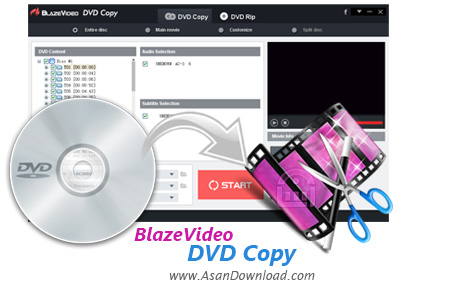
نرم افزارهای زیادی در زمینه کپی دی وی دی ها در آسان دانلود معرفی کرده ایم. ابزارهایی که خصوصیات مختلفی دارند و عموما امکانات مشخصی را در زمینه تبدیل فیلم ها در اختیار کاربران قرار می دهند. BlazeVideo DVD Copy یکی از این دسته نرم افزارهاست که توانایی تبدیل دی وی دی فیلم ها به فرمت های رایج قابل پخش در انواع سیستم ها را دارا بوده و می تواند با بهترین کیفیت کار تبدیل را امکانپذیر سازد.
نرم افزاری که واسط گرافیکی مدرنی دارد و با سرعت بالا کار تبدیل را انجام می دهد. در مورد این نرم افزار باید اذعان کرد علاوه بر کپی از دی وی دی می توان فیلم ها را با بهترین کیفیت برروی دی وی دی ها رایت هم نمود. امکان شخصی سازی محتوای DVD ها، توانایی کپی سر فصل ها و یا چپترهای دلخواه، قابلیت کپی فیلم اصلی بدون تبلیغات و سایر تیزرهای اضافه، تهیه خروجی با فرمت ISO، قابلیت تایید سلامت دیسک های کپی شده، انعطاف پذیری بالای نرم افزار در شبیه سازی عینی دیسک ها و ... از جمله امکانات این نرم افزار است که می توان به آن ها اشاره نمود. این ابزار کاربردی حجم بسیار مناسبی هم دارد.
قابلیت های کلیدی نرم افزار BlazeVideo DVD Copy:
- پشتیبانی از انواع دیسک های 4 و 9 گیگابایتی
- کپی محتویات دی وی دی ها
- امکان رایت فیلم ها برروی دی وی دی ها با بهترین کیفیت
- توانایی شخصی سازی محتوای دی وی دی ها
- قابلیت کپی سرفصل ها به صورت دلخواه
- امکان کپی فیلم اصلی بدون تبلیغات
- قابلیت تبدیل به فرمت ISO
- توانایی بالای نرم افزار در انعطاف پذیری بالا
- سازگار با نسخه های مختلف ویندوز از جمله ویندوز محبوب 10
- و ...


BlazeVideo DVD Copy is a simple-to-use application that comprises two modules for processing DVD movies, namely copying and ripping. It can be handled by all types of users, even rookies.
With a modern and well-structured layout, you can select a DVD clip from the hard drive or mounted drive, establish the target location, choose the option to copy it either as a DVD or an ISO image, as well as limit the DVD capacity.
It is possible to process the entire disc or main movie, or you can customize the job by selecting individual chapters, along with the audio track and subtitle stream. Plus, you can preview the movie in a small, built-in media player.
The DVD movie ripping module offers support for a few video types for the output, namely AVI, ASF, MOV, MP4 and WMV. Alternatively, you can extract the audio stream and save it to MP2, MP3, AAC, AC3 or M4A, as well as prepare videos for various devices, such as iPad, BlackBerry, HTC, Sony and Nokia.
Other options of DVD Rip let you trim the videos by marking the start and end point, make image adjustments (brightness, hue, saturation, contrast), crop the frame, replace the subtitle stream with another one, scale it and adjust its position, as well as insert text watermarks.
A few settings are configurable from the Options panel, where you can select another language, burn engine and workspace folder, as well as set the program to automatically delete temporary files or to power off the computer when the task is completed.
BlazeVideo DVD Copy may take a while to finish a copying or ripping procedure (depending on the size of the movie), while using a high amount of CPU and system memory. It has a good response time and delivers fair image and sound quality. No error dialogs have been shown in our tests, and the tool did not hang or crash. Thanks to its intuitive layout yet advanced settings, BlazeVideo DVD Copy should please the entire audience.


