



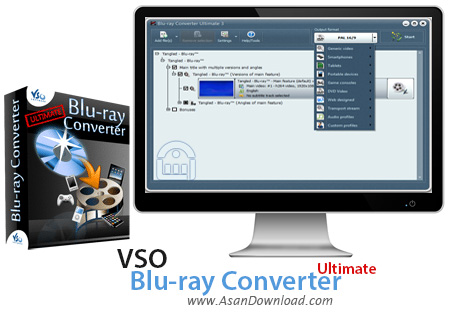
مبدلی بسیار کارآمد و سریع برای تبدیل دیسک های بلوری به فرمت های معمولی با کیفیت بالا را برای این پست در نظر گرفته ایم. ابزاری بسیار کاربردی که با پشتیبانی از فرمت های مختلف با نهایت کیفیت دیسک های بلوری را تبدیل می کند. VSO Blu-ray Converter Ultimate نام این نرم افزار است که علاوه بر واسط گرافیکی ساده اما کاربرپسند که باعث افزایش سرعت عملکرد کاربران می شود با پشتیبانی از آخرین تکنولوژی ها بدون افت کیفیت فیلم های بلوری را تبدیل می کند. پشتیبانی از فرمت های مختلف صوتی و تصویری و استفاده از نهایت کیفیت در استخراج و تبدیل فیلم ها را می توان از جمله مهم ترین و کلیدی ترین خصوصیات این نرم افزار دانست. پشتیبانی از فیلم های سه بعدی هم از جمله قابلیت های مهمی است که امروزه کاربران حرفه ای به آن اهمیت ویژه ای می دهند. استفاده از جدیدترین تکنولوژی ها برای سرعت بخشیدن به تبدیل فرمت های ویدئویی از جمله دیگر قابلیت هایی است که در این نرم افزار به چشم می خورد. همه این قابلیت ها در VSO Blu-ray Converter Ultimate جمع شده اند تا کاربران به خواسته های خود دست پیدا کنند.
قابلیت های کلیدی نرم افزار VSO Blu-ray Converter Ultimate:
- استخراج فیلم های درون دیسک های بلوری
- پشتیبانی از انواع فرمت های صوتی و تصویری
- استفاده از نهایت کیفیت در تبدیل فرمت های مختلف
- پشتیبانی از فیلم های سه بعدی در تبدیل
- امکان تبدیل فرمت های دیسک های بلوری به فرمت های رایج
- هماهنگی با انواع گوشی های تلفن همراه برای تبدیل
- سرعت بالا در تبدیل فیلم های حجیم
- سازگار با نسخه های مختلف سیستم عامل محبوب مایکروسافت ویندوز
- و ...


Blu-ray discs are getting more and more popular, mainly due to the their extended storage space, so they are mainly used to store large files like movies, concerts or other types of multimedia contents. Since Blu-ray files are not natively supported by most media players, be they virtual or portable devices, you might need to occasionally transcode them to other formats using dedicated third-party applications, such as Blu-ray Converter Ultimate.
The graphic interface is highly intuitive and you can drag and drop your Blu-ray structured folder onto the main window to get started with the conversion process. Alternatively, you can load compatible data from your PC or from an ISO file, then adjust the preview mode of your data as you see fit, be it normal, minimal or thumbnails.
Due to Blu-ray Converter Ultimate, you will be able to export your Blu-ray movies to files that you can play on your smartphone, tablet, game console, or any other portable device.
Additionally, you can convert your videos to formats that are suitable for online playback (WebM or MP4) or others that retain the HD structure of the initial content, such as AVCHD.
If you are a tech-savvy user who likes to experiment with conversion settings, then you can also toy around with the video resize filters for upscaling or downscaling, as well as modify the fit method. You can also adjust the audio compressor filter, along with embedding an additional subtitle tracks with forced subtitles.
Moreover, you can rely on Blu-ray Converter Ultimate to burn the output file to a blank disc, create a dedicated DVD menu template or customize the chapter generation method.
All in all, Blu-ray Converter Ultimate can prove handy to all those who want to effortlessly export their Blu-ray discs to other formats. A license needs to be purchased if you want to unlock all the application’s functions.


