



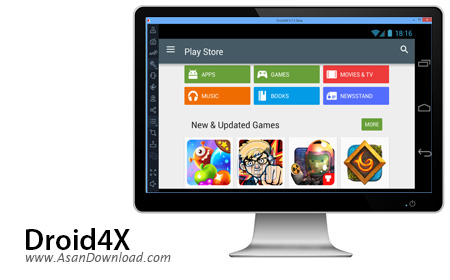
Droid4X یکی از کاملترین نرم افزارها در زمینه شبیه سازی سیستم عامل بسیار محبوب اندروید در محیط ویندوز است که اجرای این سیستم عامل را به صورت مجازی در ویندوز فراهم می کند. ابزاری با قابلیت های ویژه و سرعت بالا در اجرای اجزای مختلف سیستم عامل اندروید که استفاده نامحدود از بازی ها و نرم افزارهای تحت اندروید را ساده تر از آنچه کاربر فکرش را می کند فراهم می نماید. واسط گرافیکی ساده ای که برای نرم افزار تعبیه شده این امکان را فراهم می کند تا مبتدی ترین کاربران هم بتوانند دقیقا مشابه یک تلفن همراه با سیستم عامل اندروید از این نرم افزار بهره بگیرند. هماهنگی با سیستم های ارتباطی بی سیم، ارتباط با Google Play، پشتیبانی از میکروفون و دوربین، هماهنگی با مدل های مختلف از پردازنده ها و ... از جمله خصوصیات کلیدی هستند که در این ابزار به چشم می خورند.
قابلیت های کلیدی نرم افزار Droid4X:
- شبیه سازی کامل اندروید در ویندوز
- استفاده بسیار آسان از نرم افزار
- اجرای تمامی برنامه ها و بازی های اندروید در ویندوز
- سهولت در استفاده از نرم افزار
- هماهنگی با مدل های مختلف از پردازنده ها
- سازگار با انواع سیستم های ارتباطی نظیر سیستم های وایرلس
- سازگار با نسخه های مختلف سیستم عامل محبوب مایکروسافت ویندوز
- و ...


Android smartphones are quite popular in a lot of countries, especially since most of them comes with powerful hardware that allows users to run a wide range of games and programs on their devices.
However, if you want to enjoy your preferred software on a larger screen than the one of your phone, you can try Droid4X, as it can emulate an Android environment with very little effort on your side.
The installation process should go along smoothly, without any issues, although it might take some time until it is finished and you can access the GUI of the app.
It also need to be mentioned that, since Droid4X relies on VirtualBox to create a virtualized environment for running Android, some errors might occur if you already have VirtualBox installed on your PC.
It is best to either run Droid4X on a PC where the Oracle app is not already installed, or to remove it first, and only afterwards install the Android emulation software.
Droid4X provides you with a nifty way of exploring the Google Play Store and choose whatever mobile games and programs might interest you.
You also get the possibility to take snapshots or simulate a GPS app, as well as browse your preferred websites as if you were working on a mobile device.
A nice feature of Droid4X is that you can install dedicated clients on your iOS or Android phones, then connect them to the PC and use them as joysticks within your games.
This way, you can use your handset to control the game, while watching the action on the large screen of your PC (since Droid4X also supports full screen mode).
All in all, the application can be of great use to all those who wanted to give various Android apps a try, but were not willing to also purchase a smartphone.



