



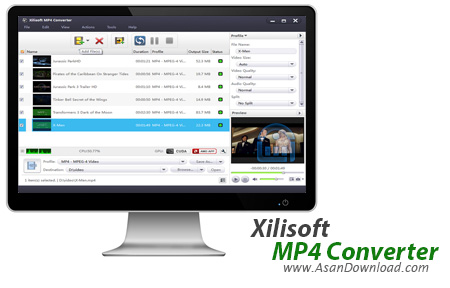
با اینکه دنیای تکنولوژی آنقدر پیشرفت کرده که می توان تقریبا اکثر فرمت های رایج را در سیستم ها و گجت های مختلف اجرا کرد اما بازهم گاهی وجود مبدل های صوتی و تصویری لازم است. Xilisoft MP4 Converter یکی از کامل ترین نرم افزارها در زمینه تبدیل فرمت های مختلف ویدئویی است که قابلیت تبدیل فرمت بسیار رایج MP4 را با بهترین کیفیت ممکن دارا می باشد. ابزار بسیار کارآمد که با بهره گیری از آخرین تکنولوژی ها بدون کوچکترین افت کیفیتی فیلم ها را به فرمت دلخواه کاربر تبدیل خواهد کرد.
پشتیبانی از فرمت های مختلف ویدئویی برای تبدیل، عدم افت کیفیت در تبدیل، پیش نمایش از فیلم ها، سرعت بسیار مناسب در تبدیل فیلم های بلند با حجم بالا، توانایی تبدیل و سازگاری با انواع تبلت ها و گوشی های موبایل، هماهنگی با پردازنده های گرافیکی دو شرکت nVidia و AMD و ده ها قابلیت دیگر از جمله امکاناتی است که برای Xilisoft MP4 Converter در نظر گرفته شده است.


Xilisoft MP4 Converter is a tool that enables you to encode several video formats to MP4.
Since this is an ad-supported application, users are advised to pay attention when installing Xilisoft MP4 Converter. The program offers to download and install a third-party toolbar, change your homepage and your default search engine.
Xilisoft MP4 Converter supports a lot of video formats, including 3GP, ASF, AVI, FLV, M4V, MKV, MPG, MP4 and Raw files.
The user interface of the program is easy to navigate through. To get started, you must choose a profile, add files (drag and drop is supported), and start converting (batch conversions are possible).
The profile is configurable according to basic settings (file name, video size and quality, audio quality, split - yes, you can split video files), video stream (video codec and size, bitrate, frame rate, zoom, aspect ratio, bitrate tolerance, encode mode), audio stream (audio codec, sample rate, bitrate, channels, volume, disable audio) and metadata.
In addition, you can extract audio (as AAC, M4A, MP3), create video from pictures, take snapshots, select the profile of the format according to a specific device (e.g. Android, iPhone, iPad, BlackBerry, PS3, PSP), add multiple profiles for one source file, view CPU usage, change skin and language, disable automatic check for updates, customize the columns to be displayed in the file list, clone files, and more.
The conversion process takes only a few seconds to finish, and the image and sound quality is well maintained, but CPU and system memory are highly demanded during this time. It's too bad Xilisoft MP4 Converter lets you convert only the first three minutes of a video.
Nevertheless, Xilisoft MP4 Converter proves to be a very good application for converting videos to MP4 format, and it can be used by both beginners and experts, thanks to its intuitive interface.


