



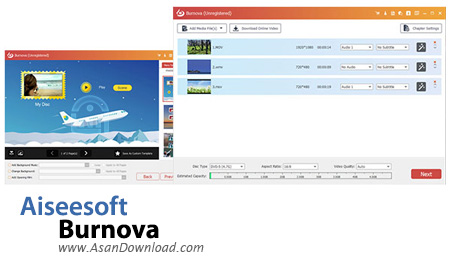
با اینکه عناوین مختلف نرم افزاری زیادی برای رایت لوح های فشرده تا به حال معرفی کرده ایم اما جای بسیاری از نرم افزارها هنوز خالی است که ممکن است همان نرم افزارها برای یک سری از کاربران محبوبیت بیشتری داشته باشند. Aiseesoft Burnova نام یکی از این نرم افزارهاست که توانایی رایت انواع لوح های فشرده با قابلیت پشتیبانی از انواع و اقسام آن ها را داراست. انواع سی دی ها و دی وی دی ها در نرم افزار پشتیبانی می شوند تا کاربران به راحتی بتوانند اطلاعات را با انواع رایترها برروی لوح های فشرده کپی کنند. پشتیبانی از انواع فرمت های ویدئویی برای رایت برروی لوح های فشرده با قابلیت پخش برروی انواع سیستم های صوتی و تصویری قابل حمل از دیگر خصوصیات مهم و کلیدی این نرم افزار کاربردی محسوب می شود. البته امکان تنظیم و پیکربندی و ویرایش فایل های ویدئویی با قابلیت های مدرن در نرم افزار گنجانده شده است که بازهم به راحتی کار کمک می کند. واسط گرافیکی ساده ای که برای نرم افزار در نظر گرفته شده است دسترسی به منوها و گزینه ها را فوق العاده آسان تر می کند. برای یک رایت بی دردسر با قابلیت های مدرن پیشنهاد می کنیم از Aiseesoft Burnova بهره بگیرید.


The Internet is where you land for most daily activities, including entertainment. Not so long ago, files of all types were usually distributed through CD/DVDs, but it doesn’t mean they’re now obsolete. For instance, Aiseesoft Burnova is the type of application with which to create cool video DVDs, including custom menus.Once installed, the application is good to go, so you might want to start deciding what videos you want to burn, and how the menu might look like. The interface is quite intuitive, with modern textures and clean menus allowing you to quickly understand and easily perform all operations. An estimated capacity slider lets you know if you have enough or too much data to burn.Adding videos can be done in a couple of ways. Needless to say that you’re free to include local clips, with impressive file support allowing you to load nearly anything under formats like 3GP, ASF, AVI, DV, VOB, FLV, MTS, SWF, MKV, MPEG, DAT, MP4, TS, NSV, MOV, QT, RMVB, WMV, and more. On the other hand, the application comes with a built-in video downloader, allowing you to grab clips of interest from popular websites like Facebook, YouTube, Vimeo, Vevo, and more. You can choose one or more available quality options for download.Before proceeding to the actual burning session, you can access the video editor for some tweaks and enhancements. It displays previews of the original and edited video, with accessible playback controls. The editor allows you to rotate and flip, clip, crop, apply a great variety of effects, adjust color configuration, and apply text or picture watermark.As mentioned, the application also allows you to design custom menus for the content of your DVDs. It already comes with an impressive variety of templates, but you can create and save your own, with options to include background music, background picture, and even an opening film. You can also opt for no menu.The last step of the operation is to configure output. You can burn data to DVD through a device and burn engine of choice, as well as to create an ISO file, with or without also writing data to DVD.All in all, Aiseesoft Burnova comes with a powerful set of tools which encourages you to grab a blank DVD and fill it with you videos and a cool menu, just for the fun of it. The interface is well-organize and poses no accommodation problems, while the set of features ranges from different input options, to editing and creating custom menus.


