




مدتهاست به فکر فروش دوره آموزشی خودتی، اما درگیر ساخت سایت، درگاه پرداخت، حفاظت از ویدیوها و پیدا کردن راهی برای فروش هستی؟
لازم نیست برای هرکدوم سراغ یک ابزار جدا بری یا درگیر مسائل فنی بشی.
با دورهساز میتونی سایت آموزشی خودت رو راهاندازی کنی، دورههات رو با خیال راحت بفروشی و دانشجوهات رو مدیریت کنی؛ همه در یک پلتفرم.
تو روی آموزش و رشد کسبوکارت تمرکز کن؛ دورهساز ابزارهای لازم رو در اختیارت
میذاره.
آمادهای تخصصت رو به یک کسبوکار آموزشی تبدیل کنی؟
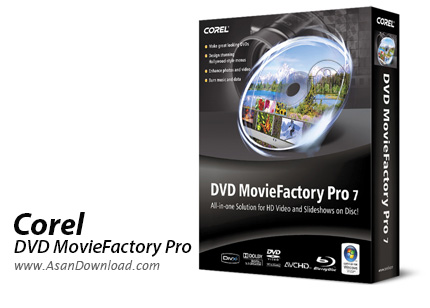
کمپانی Corel امروزه یکی از تاثیر گذارترین شرکت های چندرسانه ای و گرافیکی است که با ارائه نرم افزارهای کاربردی و البته مهندسی حرفه ای کاربران را در ارائه نتایج با کیفیت یاری می دهد. این شرکت قدرتمند که در طول چند سال گذشته با خرید شرکت های کوچک دیگر توانسته قدرتمندتر به پیش رود در زمینه های گوناگون نرم افزارهایی را تولید و عرضه می کند. Corel DVD MovieFactory Pro یکی از همین نرم افزارهای قدرتمند است که برای رایت و ساخت فیلم با کیفیت بالا به همراه منو از آن بهره برد.
نرم افزاری قدرتمند و کامل که امکانات فراوانی در زمینه ساخت دی وی دی فیلم دارد. رایت انواع دی وی دی و نسل بعدی دیسک های نوری یعنی Blu-ray اولین و مهم ترین خصوصیتی است که در همان نگاه اول هم می توان آن را مشاهده کرد اما قابلیت هایی نظیر Capture فیلم ها، ویرایش ساده آن ها و یا ساخت اسلایدشو از تصاویر و در نهایت رایت برروی لوح فشرده از جمله مهم ترین خصوصیاتی هستند که در این ابزار قدرتمند دیده می شوند.
به سبب واسط کاربری ساده ای که برای نرم افزار تعبیه شده دسترسی با تمامی گزینه ها فوق العاده ساده و آسان است و تنها چند دقیقه لازم است تا مبتدی ترین کاربران هم بتوانند و همه قسمت های Corel DVD MovieFactory Pro آشنایی پیدا کنند. سازگاری با فرمت های رایج در زمینه های گوناگون هم نکته قابل توجهی است که بسیاری از کاربران به آن توجه ویژه ای دارند.
قابلیت های کلیدی نرم افزار Corel DVD MovieFactory Pro:
- رایت انواع دی وی دی ها و Blu-ray به همراه منو
- ساخت دیسک اسلایدشو از تصاویر به همراه موزیک
- وجود طرح های آماده فوق العاده جذاب و با کیفیت
- ساخت فیلم با ترکیب فیلم ها و عکس ها
- امکان Capture فیلم ها از انواع ورودی ها
- رایت لوح های فشرده به شکل های مختلف
- استخراج فایل های صوتی از انواع لوح های فشرده
- کپی فیلم های موجود در دی وی دی ها
- سازگار با نسخه های مختلف ویندوز از جمله ویندوز محبوب 7
- و ...


DVD MovieFactory is a complete solution for DVD authoring and burning that offers a wide range of tools for creating video, audio, slideshow or data discs. With DVD MovieFactory, you can have a digital media studio right on your computer.
The software provides you with a tab-based interface, which makes it suitable for both advanced and beginner users.
DVD MovieFactory offers you the possibility to work with CDs, DVDs and Blu-Ray discs. Moreover, the supported output formats not only include standard definition discs, but also AVCHD discs.
This authoring tool allows you create customized DVDs in no time. One interesting advantage that this application brings you is the possibility to manually or automatically detect chapters of a video file.
Moreover, you can enhance your videos using DVD MovieFactory. Splitting, cloning, trimming or setting the transparency are just a few of the multiple different tools you have at your disposal for editing media files. You can also apply watermarks, music, effects or themes to your videos in order to enhance their appearance, as well as edit the subtitles of any video file.
The program allows you to create a menu for your DVD by choosing one of the existing templates or customizing your own. Also, you have the possibility to optionally power off the PC when the burning process is complete, which really saves you time.
In the same way, you can create slideshow discs, as well as data and audio DVDs. But whatever option you choose, you can easily customize every item, from audio-video configuration to appearance options and number of copies.
One other advantage that DVD MovieFactory offers you is the possibility to create disc labels. The customization process includes adding images, texts, icons, playlists, as well as setting the labels' appearance.
While using it does not pose a problem, DVD MovieFactory offers powerful features for video editing and DVD authoring. It is a highly-customizable application that anyone can use to burn DVDs with professional looking menus and personalized appearance.


