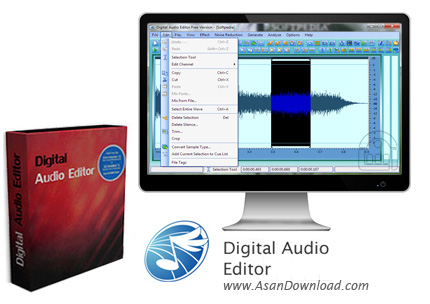
Digital Audio Editor is a software that you can use to easily create and edit audio files. It supports many audio formats, including WAV, MP3, OGG, CDA and RAW.
The user interface of the program is standard, although various functions are cluttered in the menu bar.
So, you can save a particular selection, use the "Undo" and "Redo" functions, edit the left, right or both channels, copy and cut a particular section, as well as mix a selected part of the audio with another file.
Furthermore, you can delete the silence, trim or crop the video, convert the sample type (frequency, channel and bitrate) and add a current selection to the cue list. But you can also start a recording from an input device.
In addition, you can view audio data in a waveform or spectral format, zoom in and out, change the horizontal scale format to decimcal or sample, and add various effects (e.g. invert, reverse, silence, fade in and out, amplify, normalize, mix stereo channel, delay, phaser, flanger, reverb, chorus).
Also, you can reduce cassette noise and voice breath, view a frequency analysis window and use hotkeys. The program takes up a low-to-moderate amount of system resources, contains a comprehensive help file (with tutorials) and can be used by both novices and experts.
We haven\'t encountered any major problems during our tests but the trial version doesn\'t let you save files, unfortunately. Otherwise, we recommend Digital Audio Editor to all users.