



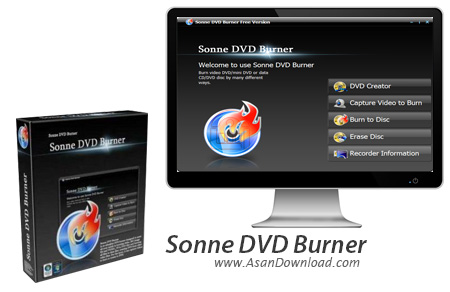
رايت يك دي وي دي فيلم مستلزم استفاده از يك نرم افزار براي رايت قطعه فيلم ها به يك دي وي دي فيلم با فرمت استفاده شده در آن ها است. Sonne DVD Burner نرم افزاريست كه مي تواند در اين زمينه بسيار راه گشا باشد. ابزار قدرتمند و مفيد كه توانايي رايت انواع دي وي دي فيلم ها را داشته و مي تواند فرمت هاي مختلف را پشتيباني كند. اين ابزار سريع همچنين از واسط كاربري ساده اما جذابي بهره مي برد كه به كاربران كمك مي كند تا راحت تر به خواسته هاي خود دست پيدا كنند.
اين ابزار جالب قابليت اين را دارد كه ويدئوها را ابتدا Capture كرده و سپس به صورت مستقيم و طي فرآيند تبديل به يك دي وي دي تبديل كند ؛ طوري كه خروجي قابليت پخش برروي انواع پليرهاي خانگي را نيز داشته باشد. در طول ساخت دي وي دي فيلم كاربر مي تواند با استفاده از امكاناتي كه در نرم افزار Sonne DVD Burner قرار داده شده است براي هريك از فيلم هامنويي اختصاصي هم طراحي و سپس رايت كند تا در هنگام مشاهده كاربر بتواند به سادگي از منوها فيلم ها را مديريت كند.
اين نرم افزار همچنين قابليت هايي نظير رايت انواع ايميج هاي رايج و همچنين رايت دي وي دي هايي كه به اصطلاح Rip شده و برروي هاردديسك ذخيره شده اند را دارا مي باشد. مي بينيم كه يك نرم افزار شايد در نگاه اول بسيار ساده و كوچك باشد اما همين ابزارها هم گاهي مي توانند كارهاي بزرگي را انجام دهند.
قابليت هاي كليدي نرم افزار Sonne DVD Burner:
- ساخت دي وي دي فيلم
- پشتيباني از اكثر فرمت هاي رايج
- قابليت ساخت منو براي فيلم ها
- امكان رايت ايميج ها
- قابليت رايت فولدرهاي VIDEO_TS كه در دي وي دي ها استفاده مي شوند
- قابليت رايت مستقيم از Capture كردن فيلم ها
- سازگار با نسخه هاي مختلف ويندوز از جمله ويندوز محبوب 7
- و ...


Sonne DVD Burner is a powerful Windows tool designed exclusively to help your burn videos, ISO images and DVD-ready folders to DVDs.
Once you launch the program, Sonne DVD Burner presents its main features, letting you choose between creating a DVD project with menu included, capture videos or images from an external device and burn them to disc, burn a DVD without a menu, erase a disc or see disc info.
If you wish to create a DVD menu, Sonne DVD Burner comes with a great amount of customization options, offering not only templates and backgrounds, but also editing tools such as text and audio background support.
Burning a DVD on the go is easy as long as you don’t spend too much selecting a task, which can be either burning a VIDEO_TS folder, video files, data files or ISO image.
The most important options are displayed right in the main window, including those concerning buffer protect, test mode, optimum power calibration, CDROM XA and optimum power calibration.
Sonne DVD Burner comprises a pretty fast and effective burning engine that works flawlessly on all Windows versions. It uses a reasonable amount of hardware resources and returned absolutely no errors during our testing.
All things considered, Sonne DVD Burner is one advanced app for burning DVDs, providing not only a well-developed interface, but also a reliable burning engine to serve its purpose. A help file is also included in the package, just to make sure beginners don’t get lost in the interface.



