



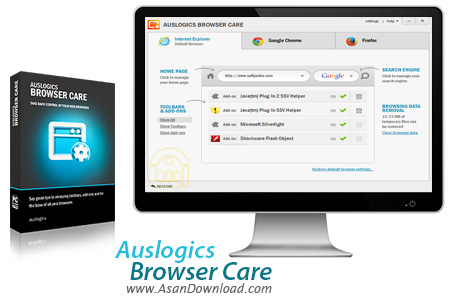
Auslogics Browser Care نرم افزاری حرفه ای و کاربردی برای حذف افزونه ها و نوار ابزارهای غیر ضروری مرورگرها می باشد. با نصب بعضی از نرم افزار ها، نوار ابزار هایی بر روی مرور گرها نصب می شود که کارایی برای شما ندارد و فقط جنبه تبلیغاتی دارد و مزاحم شما هستند و همین طور برخی از همین نوار ابزار ها با کنترل گرفتن بخش های رایج مرورگر چون جستجوگر، مانع از تحقق بسیاری از خواسته های کاربر می شود. این نرم افزار که به صورت رایگان در اختیار شما قرار گرفته است به منظور حذف و غیر فعال سازی نوار ابزارها و افزونه های غیر ضروری از روی مرورگر می باشد که با پشتیبانی کامل از مرورگرهای رایج با نمایش لیستی از نوار ابزارهای نصب شده، تنظیمات مرورگر، تنظیمات صفحه خانگی یا Home Page و ... امکان حذف یا غیر فعال سازی آنها را فراهم می سازد و به افزایش سرعت و کارآیی مرورگر کمک زیادی می کند.
قابلیت های کلیدی نرم افزار Auslogics Browser Care:
- توانایی حذف افزونه ها و نوار ابزارهای غیر ضروری مرورگرها
- قابلیت افزایش سرعت اینترنت با حذف نوار ابزار های اضافی
- امکان نمایش لیستی از نوار ابزارهای نصب شده
- قابلیت نمایش تنظیمات مرورگر
- پشتیبانی از مرورگر Chrome ، Firefox ، IE
- محیط ساده و کاربر پسند نرم افزار
- سازگار با نسخه های مختلف سیستم عامل محبوب مایکروسافت ویندوز
- و ...


Auslogics Browser Care offers a simple solution to configuring web browser settings and deactivating unwanted plugins.
It provides a modern and highly intuitive interface for regular users and professionals alike, along with easy-to-use features.
The main application window is divided into three panels for each supported web browser: Internet Explorer, Google Chrome and Mozilla Firefox.
Each screen shows a snapshot of the corresponding web browser, which contains interactive buttons for managing the homepage, showing toolbars and add-ons, and modifying the search engine. Hints are displayed throughout the program.
In addition, it is possible to clean browsing data right the main application window when it comes to cookies, cache, history, and authorization.
Before committing any changes, the application automatically backs up configuration data and lets you restore it at a later time from the rescue center, as well as go back to a particular restore point.
As for program settings, you can set Auslogics Browser Care to autorun at Windows startup and minimize to the notification area on close. Plus, you can delete old backups and set up disk space usage.
Unfortunately, Auslogics Browser Care was unsuccessful in its attempt to change Firefox browser settings during our tests. But it has a good response time, quickly applies modifications, and uses low CPU and RAM. All in all, Auslogics Browser Care comes in handy for any Internet power user.



