



مدتهاست به فکر فروش دوره آموزشی خودتی، اما درگیر ساخت سایت، درگاه پرداخت، حفاظت از ویدیوها و پیدا کردن راهی برای فروش هستی؟
لازم نیست برای هرکدوم سراغ یک ابزار جدا بری یا درگیر مسائل فنی بشی.
با دورهساز میتونی سایت آموزشی خودت رو راهاندازی کنی، دورههات رو با خیال راحت بفروشی و دانشجوهات رو مدیریت کنی؛ همه در یک پلتفرم.
تو روی آموزش و رشد کسبوکارت تمرکز کن؛ دورهساز ابزارهای لازم رو در اختیارت
میذاره.
آمادهای تخصصت رو به یک کسبوکار آموزشی تبدیل کنی؟

ManyCam نرم افزاری مؤثر و کاربردی در زمینه افکت گذاری و ساخت وبکم مجازی می باشد ، این نرم افزار کاربردی به شما این امکان را می دهد تا به سادگی وبکم را شبیه سازی کنید و بسیار متفاوت تر از گذشته در هنگام چت با دوستان خود ظاهر شوید که مطمئنا اسباب سرگرمی شما را هم فراهم خواهد کرد. مچنین این نرم افزار جذاب افکت های مخصوصی را در اختیار شما قرار می دهد تا به ویدئو های خود اضافه کنید و با این روش جذابیت تصاویر ارسالی خود را بیشتر کنید. از قابلیت های این نرم افزار می توان به یک سری از افکت های آماده اشاره کرد.
;قابلیت های نرم افزار ManyCam:
- توانایی افکت گذاری روی ویدئو
- قابلیت شبیه سازی وبکم
- امکان ساخت وبکم مجازی
- پشتیبانی از افکت های آماده
- سازگار با نسخه های مختلف سیستم عامل محبوب مایکروسافت ویندوز
- و...


For anyone who uses several instant messenger programs to communicate with friends, using a webcam while chatting over the Internet on multiple apps at the same time can be a hassle. However, with a tool like Manycam you can easily solve that problem.
This software solution helps you use the webcam on several chatting tools at the same time and, more importantly, it also enables you to add some shiny effects to the image you're streaming over the Internet.
Manycam has a rather nice looking interface and thanks to the well-thought layout, it can be easily used by beginners and professional users alike.
The application has tons of effects, regardless if we're talking about objects you can place over the image, backgrounds, face accessories, date and time or drawings. A great feature of Manycam we discovered during our tests was its ability to help users personalize the camera image by drawing directly onto it.
In order to customize the software's settings, you can individually configure the audio and video source options. Another nice addition to the functions list is the support for playlists that you can create by adding videos that can be broadcast instead of a live feed from the webcam.
In just a few words, Manycam can work with basically every tool that supports a webcam, no matter if we're thinking about Yahoo! Messenger, Windows Live Messenger, Skype, Paltalk, Camfrog, AIM and many other IM apps.
All things considered, this utility can prove quite useful for anyone who needs to use several instant messengers with a single webcam and stream the same video and audio over multiple applications. The very strong feature pack and ease of use recommend Manycam as one of the software solutions that deserve at least a try.
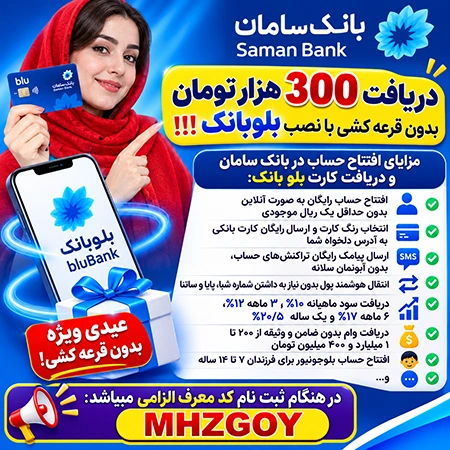
جهت دریافت هدیه 300 هزار تومانی هدیه ثبت نام فقط کافیه نرم افزار بلو بانک را از لینک های زیر بر روی گوشی هوشمند خود نصب کنید و کد معرف ( MHZGOY ) را داخل نرم افزار بلو بانک ثبت نمایید، بعد از احراز هویت و تکمیل مراحل ثبت نام هدیه 300 هزار تومانی معرفی را خیلی راحت دریافت نمایید!
- دانلود از بازار ، دانلود از مایکت ، دانلود نسخه اندروید لینک ، دانلود نسخه IOS لینک
در هنگام ثبت نام کد معرف الزامی میباشد: MHZGOY