



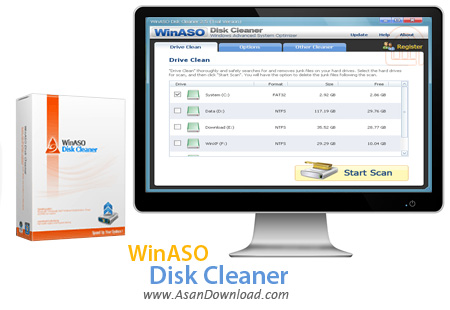
برای این پست نرم افزاری به نام WinASO Disk Cleaner را آماده کرده ایم که توانایی پاکسازی فایل های اضافی موجود برروی هارددیسک را داشته و به همین دلیل می توان از آن به عنوان نرم افزاری کارآمد در زمینه بهینه سازی و افزایش سرعت و کارآیی سیستم بهره گرفت. نرم افزاری که سرعت بالا و حجم پائین هم از مهم ترین خصوصیات آن به شمار می رود. مجموعه فایل هایی که از وبگردی برروی هارددیسک ذخیره می شوند و معمولا اضافی هستند ، فایل های اضافی مربوط به رجیستری ، فایل های سیستمی که به مرور زمان و از استفاده ویندوز حاصل می شوند نمونه ای از مواردی هستند که پس از نصب این ابزار ساده و سبک می توان به راحتی و پس از یک اسکن ساده اقدام به حذف آن ها نمود. WinASO Disk Cleaner واسط گرافیکی بسیار ساده اما کاربرپسندی هم دارد که مبتدی ترین کاربران هم می توانند تنها در طی چند دقیقه با آن ارتباط برقرار کنند.
قابلیت های کلیدی نرم افزار WinASO Disk Cleaner:
- حذف فایل های اضافی حاصل از وبگردی
- اسکن سیستم برای فایل های اضافی مربوط به فایل های سیستمی
- سرعت بالا در اسکن و پاکسازی هارددیسک
- افزایش سرعت هارددیسک و ویندوز پس از پاکسازی
- سازگار با نسخه های مختلف سیستم عامل محبوب مایکروسافت ویندوز
- و ...


WinASO Disk Cleaner is an application that you can use to remove unnecessary data from your computer, in order to free up space and ultimately boost the performance of your system.
The interface of the program is clean and pretty intuitive. Once the scanning starts, you can check out the name, location and size of each junk file, along with total files and size. Simply select the items that you want to get rid off and let WinASO Disk Cleaner take care of the rest.
Additionally, you can go to the "Options" area and include read, system, hidden and zero-byte files in your searches, as well as enable WinASO Disk Cleaner to send data to the Recycle Bin or permanently delete it from the computer.
Furthermore, you can create an exclusion list, add or delete filters (e.g. temporary files, MS-DOS temporary files, backup and log files), and others. Settings can be restored to their default values at any time. On top of that, you can enable the tool to clean the Recycle Bin, History folder, Recent Documents folder, cookies, Windows temporary files and temporary Internet files.
The straightforward cleaning tool requires a low amount of system resources, has a good response time, quickly finishes a scan and clean job, and didn't freeze, crash or pop up errors during our tests. There's also a well-written help file with snapshots that you can check out. We strongly recommend WinASO Disk Cleaner to all users.


