



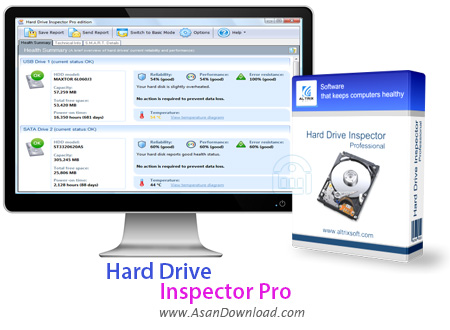
Hard Drive Inspector Pro نرم افزاری قدرتمند برای مدیریت هارددیسک می باشد، هارددیسک به علت ذخیره کردن اطلاعات یکی از مهم ترین سلول های کامپیوتر به حساب می آید اما متأسفانه از روی بی اطلاعی توجه چندانی به هارددیسک نمی شود و همین باعث کاهش سرعت هارددیسک می شود و با کاهش سرعت هارددیسک امکان پاک شدن اطلاعات هم بوجود می آید. این نرم افزار قدرتمند برای کمک به شما قرار گرفته شده است و این امکان را به شما می دهد تا روی سلامتی
هارددیسک خود نظارت داشته باشید و سرعت هارددیسک خود را افزایش دهید از پاک
شدن اطلاعات جلوگیری نمایید. عملکرد نرم افزار به گونه ای است که پس از مدت کوتاهی می توانید تغییرات را به وضوح در هارددیسک خود مشاهده کنید.
قابلیت های کلیدی نرم افزار Hard Drive Inspector Pro:
- قابلیت چک کردن دمای سیستم
- امکان نمایش جزئیات سخت افزاری مربوط به هارددیسک
- قابلیت مشخص کردن درصد خرابی
- توانایی بک آپ گرفتن از اطلاعات
- قابلیت نمایش فضای خالی و استفاده شده هارددیسک
- امکان نظارت روی سلامتی هارددیسک
- قابلیت نمایش دمای سیستم در کنار ساعت ویندوز به صورت یک عدد
- پستیبانی از زبان فارسی
- سازگار با تمامی نسخه های ویندوز از جمله ویندوز 7 و 8
- و ...


Hard Drive Inspector is a program that you can use to check your hard drives for any errors.
The interface of the application is clean and intuitive. In "Health Summary" you can get an overview of your hard drives, including disk model, capacity, total free space and power-on time. You can also view the level of reliability, performance and error resistance, as well as current temperature.
Furthermore, you can obtain a detailed report on S.M.A.R.T. details (attribute name, current state, value, flags). These cover the raw read error rate, spin up time, reallocated sectors count, seek error rate, power-on hours, spin retry count, SATA interface downshift, and more. Plus, you can filter them according to their flags.
In "Technical Info", you can read more data about your hard drive - manufacturer, serial number, world wide name, firmware, logical geometry information, buffer size, local drives, device features, and more.
In addition, you can save a report (in the TXT or HTML format), toggle between basic and advanced mode, as well as configure options when it comes to the interface language, automatic run at system startup, reliability and temperature control, advanced disk managements, and others.
Hard Drive Inspector didn't freeze, crash or pop up errors during our tests. Its CPU and memory usage is very low, and there's also a help file you can check out.
All in all, Hard Drive Inspector is a very good software when it comes to monitoring and analyzing your hard drives. It offers simple and effective solutions and we definitely recommend it, especially to experienced users.


