



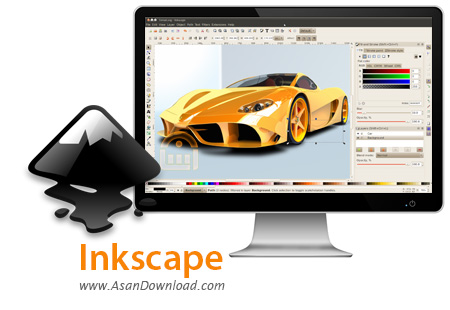
تصاویر وکتور که امروزه بیشتر مورد استفاده قرار می گیرند یک ویژگی مهم دارند و آن هم عدم افت کیفیت در صورت افزایش سایز آن هاست. این عکس ها به سبب نوع طراحی در بسیاری از بخش ها مورد استفاده قرار می گیرند. Inkscape یکی از نرم افزارهایی است که درست شبیه به Adobe Illustrator، Corel Draw و ... بوده و امکانات بسیار کاملی را در اختیار کاربران قرار می دهد. این نرم افزار بر خلاف نرم افزار های بر پایه Bitmap نظیر Photoshop و Gimp تصاویر خود را بر اساس Vector ایجاد می نماید. کسانی که قبلا سابقه کار با این گونه نرم افزارها را دارند به سبب داشتن خصوصیات مختلف این ابزار راحت تر می توانند با آن کار کنند و تصاویر وکتور طراحی نمایند. به طور کلی Inkscape با حجمی کمتر تقریبا همه قابلیت های لازم برای طراحی های وکتور به صورت حرفه ای را دارا می باشد.
قابلیت های کلیدی نرم افزار Inkscape:
- طراحی تصاویر وکتور با بهترین کیفیت
- وجود تقریبا همه امکانات لازم برای طراحی
- سازگار با فرمت های مختلف در زمینه تصاویر
- پشتیبانی از فرمت محبوب SVG
- هماهنگی با نرم افزارهای رایج در این زمینه نظیر Adobe Illustrator، Corel Draw و ...
- سهولت در استفاده از نرم افزار نسبت به ابزارهای مشابه
- سازگار با نسخه های مختلف سیستم عامل محبوب مایکروسافت ویندوز
- و ...


Providing advanced editing features, Inkscape is a serious competitor on the vector graphics sector and a viable alternative to more complex software suites, such as Illustrator or CorelDraw. The professional drawing tools allow you to create complex objects, while the set of filters helps you take graphic design to a whole new level.
Designed with ease of use in mind, the interface is well organized and fairly intuitive, offering fast access to all the options. The program is compatible with multiple file types, including JPEG, PNG, TIFF, EPS and vector-based formats.
It comes with a powerful set of tools for drawing and editing graphic objects, including markers, gradients, shapes, paths, clones, alpha blending and more, but it also allows freehand drawing. With just a few clicks, you can move and scale objects, create object groups and edit multiple items.
Direct XML editing, document mapping, screen pixel manipulation, node editing, bitmap tracing are some of the features worth mentioning. It provides layer support and allows you to perform complex path operations, as well as apply and edit path effects. Additionally, the application comes with text editing tools, such as the SVG font editor, glyphs and multilingual spell checking.
One of its advantages is the wide range of available filters and extensions, which allows users to build more unusual graphics. From color filters, bluring, distort and different materials to morphology filters and non realistic 3D shaders, all are designed to help you enlarge the design possibilities and unleash your creativity.
Whether you want to create a simple icon for your desktop or plan on designing complex marketing materials, Inkscape includes all the instruments you need. It features similar capabilities to some of its well-known competitors, which makes it a great tool for every graphic designer out there.

