



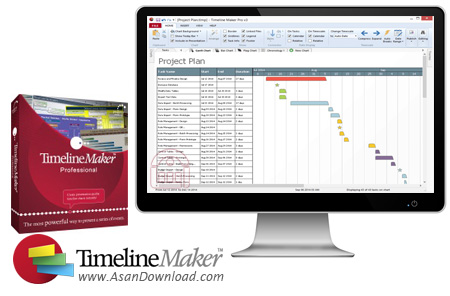
مدیریت برنامه ها امروزه یکی از رموز موفقیت هر مدیر یا هر فردی است که مشغله های زیادی نیز دارد؛ اینکه یک نفر بتواند طبق برنامه از پیش نوشته شده پیش برود مطمئنا در رسیدن به اهداف خود می تواند موفق تر باشد. Timeline Maker یکی از نرم افزارهایی است که در ساخت جداول زمانبندی می تواند بسیار راه گشا باشد و به سادگی کارهای روزانه را به صورت کاملا مدرن در آن یادداشت نمود.
عملکرد بسیار ساده در محیطی جذاب که بسیار به مجموعه آفیس نزدیک است کمک می کند تا همه کاربران به راحتی بتوانند از قابلیت های موجود در این ابزار بهره بگیرند. کاربر می تواند نمودارها را با فرمت های PDF و HTML چاپ و یا به اشتراک گذاشته و یا به صورت اسلاید در پاورپوینت به نمایش گذارد. این خصوصیات کمک می کنند تا مدیریت و ساخت جداول زمانی بسیار ساده تر و کارآمدتر نیز باشد.
قابلیت های کلیدی نرم افزار Timeline Maker Professional:
- ساخت جدول زمانی با امکانات بسیار کامل
- توانایی مشخص کردن تاریخ / زمان آغاز و پایان
- قابلیت ایجاد جداول چندگانه از فایل های مشابه
- قرار دادن برچسب اطلاعات برای معنی دار کزدن اطلاعات
- چک کردن خطاهای املائی در نرم افزار
- سهولت در بهره گیری از امکانات نرم افزار
- واسط گرافیکی بسیار جذاب و پویا نرم افزار
- توانایی ذخیره سازی با فرمت های مختلف
- قابلیت به اشتراک گذاری به صورت فایل پاورپوینت
- ایجاد نمودار های بزرگ تنها با کلیک بر روی برگه نمودار و چارت
- امکان تغییر آسان چارت مورد استفاده
- سازگار با نسخه های مختلف ویندوز از جمله ویندوز محوب 7 و 8
- و ...


When working on a project that requires several steps to complete and it is important to follow each stage to checkout the completion of the required tasks, it is always a good idea to have a detailed plan, with a clear timeline and precise deadlines. For such purposes many software solutions are available on the market and one of them is Timeline Maker Professional.
This application comes with a rather plain GUI, without any eye-candy elements, but it compensates through a practical layout that makes it easy to build-up a timeline and take care of all the upcoming events.
There are several tabs inside the main window and each of them is allocated to a certain feature, so specific data has a well determined place, thus allowing users to access the necessary information without delays.
Event data entry is a very simple procedure and for every item that is included on the list it is possible to specify the exact start and end date and time. Customizable categories are ready to be added, as well as other information, which includes place, notes and source.
Timeline Maker Professional provides a charting feature that will enable users to build diagrams for the chronology of events. These charts can be personalized in great detail, with a varied choice of themes and styles for events, pictures, annotations and many more.
All things considered, this application packs a good set of features that will surely be of assistance for those who want to organize their work in progress.
The many customizations it comes with make it a versatile utility that can accommodate the needs of any user as it is suited for beginners and experienced users alike.


