



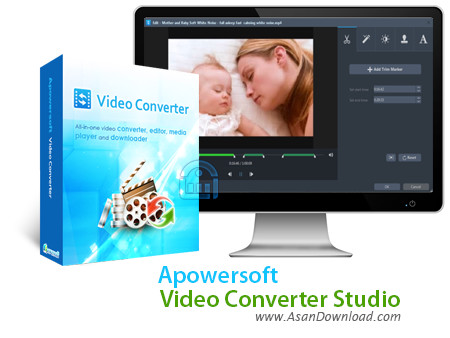
مبدل های صوتی و تصویری همیشه یکی از مواردی هستند که مورد نیاز همه کاربران هستند. نرم افزارهایی که توانایی تبدیل فرمت های مختلف صوتی و تصویری را دارا بوده و با کیفیت های مختلف و قابلیت های مختلف برای تنظیم خروجی در اختیار کاربران قرار می گیرند. Apowersoft Video Converter Studio یکی از همین نرم افزارهای کاربردی است که با پشتیبانی از فرمت های مختلف صوتی و تصویری و دارا بودن خصوصیات مختلف در تبدیل و با سرعت بالا عملکرد بسیار مناسبی را به نمایش می گذارد. سرعت بالا در تبدیل، پشتیبانی از فرمت های مختلف صوتی و تصویری، نهایت کیفیت در تبدیل فیلم ها، توانایی اضافه کردن زیرنویس به فیلم ها هنگام تبدیل، اضافه کردن افکت های مختلف به فیلم ها و ... از جمله خصوصیات مهم و کلیدی هستند که در این نرم افزار به چشم می خورند.
قابلیت های کلیدی نرم افزار Apowersoft Video Converter Studio:
- پشتیبانی از اکثر فرمت های رایج
- سرعت بالا در تبدیل فیلم ها
- توانایی اضافه کردن زیر نویس به فیلم ها
- قابلیت افزودن افکت های جالب به فیلم ها
- امکان ویرایش ساده فایل ها
- امکان ساخت دی وی دی فیلم
- پلیرداخلی موجود در نرم افزار
- امکان ساخت منو برای دی وی دی ها
- قابلیت تغییر در اندازه تصاویر و کیفیت آن ها
- قابلیت برقراری ارتباط با سیستم های صوتی و تصویری قابل حمل
- سازگار با نسخه های مختلف سیستم عامل محبوب مایکروسافت ویندوز
- و ...


Apowersoft Video Converter Studio is a simple-to-use program that allows you to turn audio and video files into AVI, WAV, MP3, MKV, MP4, WMV and others. But it can also prepare items for YouTube, DVD videos, iPod and iPhone, among others.
The tool is wrapped in a clean and intuitive interface. Importing files into the list by using only the file browser because the "drag and drop" method is unsupported. Processing multiple entries in batch mode is allowed.
In the file queue you can check out the thumbnail, duration, size, resolution, along with audio and video properties of each video. If you prefer the default settings, then you can immediately proceed with the conversion operation by specifying the output profile and directory.
Otherwise, audio and video modifications can be made when it comes to the frame size, codec, frame rate, bit rate, channel mode and sample rate. Settings cannot be saved to a new profile or restored to their default values.
Additionally, you can preview clips in a built-in media player and capture frames, trim and crop them, as well as load subtitles and make image adjustments (e.g. contrast, saturation).
Furthermore, you can change the interface language along with the conversion and snapshot folder, as well as customize the CPU core number in use and set Apowersoft Video Converter Studio to open the output directory after encoding.
The media conversion app uses a moderate amount of CPU and system memory, in order to finish a task briefly. It is very responsive and delivers videos with a good image and sound quality. No errors have occurred throughout our testing and Apowersoft Video Converter Studio did not freeze or crash. However, you cannot set the tool to automatically turn off the computer after encoding.


