




مدتهاست به فکر فروش دوره آموزشی خودتی، اما درگیر ساخت سایت، درگاه پرداخت، حفاظت از ویدیوها و پیدا کردن راهی برای فروش هستی؟
لازم نیست برای هرکدوم سراغ یک ابزار جدا بری یا درگیر مسائل فنی بشی.
با دورهساز میتونی سایت آموزشی خودت رو راهاندازی کنی، دورههات رو با خیال راحت بفروشی و دانشجوهات رو مدیریت کنی؛ همه در یک پلتفرم.
تو روی آموزش و رشد کسبوکارت تمرکز کن؛ دورهساز ابزارهای لازم رو در اختیارت
میذاره.
آمادهای تخصصت رو به یک کسبوکار آموزشی تبدیل کنی؟
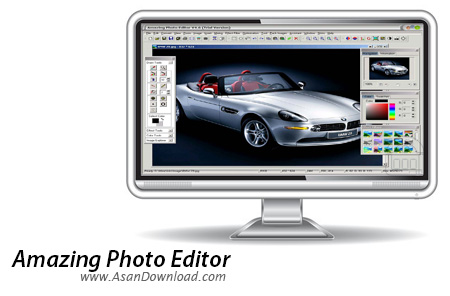
Amazing Photo Editor یکی از ساده ترین و در عین حال کامل ترین نرم افزارهایی است که برای ویرایش تصاویر ارائه شده است. این نرم افزار بسیار سبک با امکانات مفیدی که در اختیار کاربران قرار می دهد تمامی کاربران را برای خواسته های خود در زمینه ویرایش تصاویر به صورت نیمه حرفه ای پاسخگو خواهد بود. البته نه فقط ویرایش بلکه قابلیت تبدیل فرمت های مختلف تصویری هم جزیی از امکانات این ابزار به حساب می آید. Amazing Photo Editor با پشتیبانی از تقریبا تمامی فرمت های استاندارد تصاویر توانایی نمایش ، ویرایش و تبدیل آن ها را به یکدیگر دارا بوده و با گردهم آوری بیش از 33 افکت در زمینه های مختلف کاربران مبتدی را هم برای ویرایشی جذاب کمک و یاری می دهد.
اما این نرم افزار قابلیت بسیار مفید دیگر هم دارد و آن هم امکان ویرایش تصاویر با فرمت GIF است به طوری که بتوان حتی انیمیشن هایی که با این فرمت تهیه شده اند را هم ویرایش کرد و نکته جالب دیگر هم امکان تبدیل فرمت AVI به فرمت GIF است که امروزه بسیار به کار می آید و اکثر کاربران حرفه ای به دنبال چنین نرم افزارهایی هستند. واسط کاربری ساده این ابزار هم نقش مهمی را در استفاده آسان از این ابزار ایفا می کند.
قابلیت های کلیدی نرم افزار Amazing Photo Editor:
- امکان ویرایش چند عکس به صورت همزمان
- قابلیت پشتیبانی از 27 فرمت تصویری
- امکان ویرایش با امکانات بسیار کامل
- امکان تبدیل فرمت های تصاویر به یکدیگر
- وجود بیش از 33 مدل از انواع افکت ها
- قابلیت بهینه سازی تصاویر به 4 روش مختلف
- قابلیت طراحی و نقاشی با نرم افزار
- وجود 3 پوسته زیبا برای نرم افزار
- قابلیت تبدیل فرمت های GIF و AVI به یکدیگر
- امکان ویرایش تصاویر با فرمت GIF
- واسط کاربری جذاب و استفاده بسیار آسان از نرم افزار
- سازگار با نسخه های مختلف ویندوز از جمله ویندوز محبوب 7
- و ...


Many users need at least once in a while to modify one or more photos or change the original format of pictures taken with a digital camera. To do so, one would need a tool that knows very well how to handle images and edit them.
Such a utility is Amazing Photo Editor, an application that can open up to 53 formats and can save your work in a total of 27, but what\'s more important is that it comprises 10 photos effects and 33 filters.
The well-equipped program comes with many editing functions, drawing tools and optimizations. With Amazing Photo Editor you can even make screen captures of the entire screen, the active window or a specific area you manually select.
You may find the interface a bit unattractive, as the design seems to be quite old-fashioned, but it still helps the app serve its purpose pretty well.
The application comes with an impressive amount of effects, including blur and sharpen, distort and pixelize, but also with dedicated tools to pick a given color, build a GIF or auto optimize a certain picture.
A thing that\'s worth mentioning is that the application isn\'t too heavy on computer resources, although it might put a little stress on the CPU and RAM sometimes, especially when applying some of the filters.
The built-in conversion feature supports batch processing, therefore you can easily load lots of images and have them all processed in a single pass.
All in all, with a few improvements here and there, Amazing Photo Editor would definitely become one of the top software tools in this category. Until then, it remains an app that\'s just worth a try.


